
By AI Peak Biz Team · October 17, 2026
Automated Text Response Examples for Service Businesses
The best automated text response does four things in one short message. It names your business, confirms you got the request, says when a person will follow up, and gives one clear next step. Below are copy-ready examples for the moments service businesses lose the most work: missed calls, after-hours texts, new leads, appointments and reviews. You will also find a setup checklist and the U.S. opt-out rules that apply.
TL;DR
- Write one automated reply per trigger (missed call, after-hours, new lead, booking, review). A single universal autoresponder does none of them well.
- Every message should name the business, acknowledge the request, set a realistic response window and offer one next step, such as a reply keyword or a booking link.
- Never promise a callback time you cannot keep, and never offer an urgent line that nobody answers.
- In the U.S., build STOP and other opt-out handling into the workflow from day one and keep consent records.
- We built AI Peak Biz so these replies go out in seconds, across channels, and actually book the appointment.
Table of Contents
- Why the first text matters more than the polish
- The anatomy of a good automated text
- Automated text response examples by situation
- Match the reply to the trigger
- How to set up an SMS autoresponder, step by step
- What U.S. rules mean for your texts
- Our perspective: automation should feel like you
- Putting these examples to work with AI Peak Biz
- Mistakes that make automated texts backfire
- Sources
Why the first text matters more than the polish
When you are on a roof, under a sink or with a patient, the phone rings and you cannot answer. The caller does not wait politely. They call the next name on the list. Revenue leaks quietly, one unanswered call at a time.
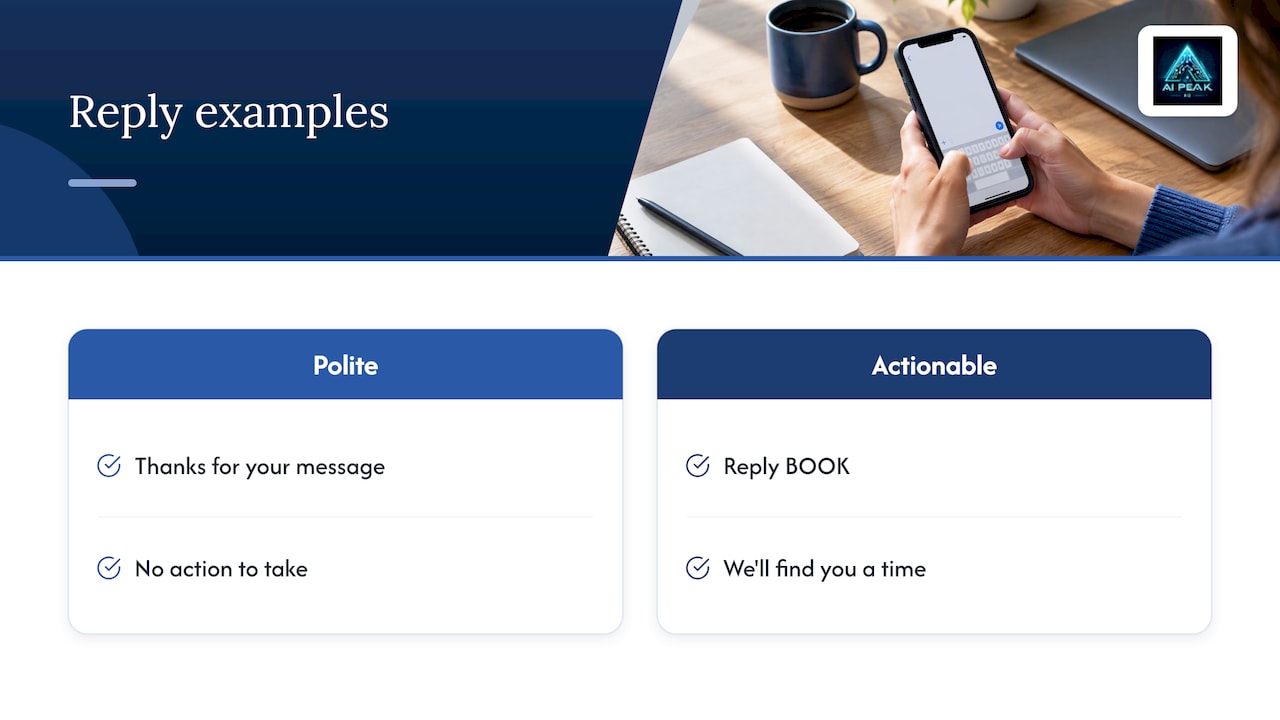
An automated text will not fix every missed call, but it keeps the conversation open. The difference between a useful reply and a throwaway one is whether the customer can act on it. "Thanks for your message" is polite. "Reply BOOK and we'll find you a time" moves the job forward.
That is also the practical lesson in Infobip's 2025 guidance on automated replies: a good response reassures and also gives the customer something to do, whether that is information, routing or a confirmed appointment. We agree. Make the first text useful, not just courteous.
The anatomy of a good automated text
Before the templates, here is the structure behind them. Each one follows the same four parts:
- Who you are. Open with the business name, so the customer knows which contractor or clinic is texting back.
- Acknowledgment. Confirm you received the call, message or form.
- Expectation. Give a realistic window: "within 15 minutes during business hours" or "tomorrow at 8 a.m. Central." Include the time zone.
- One next step. A single reply keyword, a booking link or a phone number. Not three options.
Two more habits help. Keep the message short enough to read on a lock screen. And write it like the person who owns the business would text it, not like a legal notice.
Automated text response examples by situation
Swap the bracketed fields for your own details. Each example is written for a local service business such as HVAC, plumbing, roofing, landscaping or a healthcare practice.
Missed call text-back
This is the highest-value automation for most contractors. The trigger is a call you did not pick up.
Hi, this is [Name] at [Business]. Sorry we missed your call, we're with a customer right now. What can we help you with? Reply here or book a time: [link]
A variation for urgent trades:
Hi, [Business] here. We missed your call. If this is a leak, no heat or no power, reply URGENT and a technician will see it within [timeframe]. For anything else, pick a time: [link]
Only use the second version if someone truly monitors urgent replies. A promise you break costs more than a plain message.
Send a booking link or a reply prompt, not your homepage. Textedly's template collection makes the same point: the strongest replies set expectations and give one clear action.
General acknowledgment
Use this when someone texts your main number during business hours and nobody can answer instantly.
Hi [Name], thanks for contacting [Business]. We received your message and will follow up within [timeframe]. Our hours are [hours] [time zone]. If you'd like to book now, reply BOOK or use [link].
This follows the pattern recommended in Textline's business auto-reply examples: name the business, confirm receipt, state hours or timing and set expectations.
After-hours reply
An after-hours text should say you are closed, say when you reopen, include the time zone and offer urgent instructions only if you can support them.
Thanks for contacting [Business]. We're closed now and reopen [day] at [time] [time zone]. Reply BOOK to request an appointment, or call [number] for [appropriate urgent option].
Those core elements (closed notice, reopening time, promised follow-up window) show up again and again in Textedly's after-hours examples.
For a healthcare practice, adjust the urgent line carefully. Do not give medical guidance by text. Point to your on-call process, and for emergencies tell the person to call 911.
New lead or web form inquiry
Someone fills out your estimate form at 9 p.m. The first business to respond usually has the advantage, so this reply should go out within seconds.
Hi [Name], thanks for requesting an estimate from [Business]. To get you the right quote, what's the address and the main issue? Or pick a time for a quick call: [link]
This works because it qualifies the lead. Asking one question about the job, in the same message that offers a booking link, lets customers choose how they reply.
Appointment confirmation
Hi [Name], your [service] is confirmed for [date] at [time]. Reply YES to confirm or CHANGE to reschedule.
Include the address when the visit is at your shop or office. For home visits, add the technician's first name and arrival window.
Appointment reminder
Hi [Name], a reminder that [Team Member] will see you tomorrow at [time]. Reply YES to confirm, or CHANGE if something's come up. See you then!
A simple reply action cuts back-and-forth. Customers who need to move the appointment can do so while the slot is still sellable. For a professional-services example of appointment-driven texting, see this overview of SMS workflows for law firms, which shows how the same logic carries over to other appointment-based practices.
Quote follow-up
Hi [Name], it's [Business]. Just checking in on the estimate we sent for [job]. Any questions? Reply here, or book a quick call: [link]
Send it a day or two after the quote, and stop the sequence the moment the customer replies or books.
Review request
Hi [Name], thanks for choosing [Business] for your [service]. If we earned it, would you leave a quick review? [link] Reply STOP to opt out.
Send it after the job is complete, while the experience is fresh. For more on keeping review requests compliant, this guide to compliant SMS review requests for small businesses is a good companion read.
Out-of-office or holiday coverage
Thanks for reaching out to [Business]. We're closed until [date]. We'll reply on [day]. For urgent matters, contact [name] at [number].
Tie this to a date range and switch it off automatically afterward. A holiday message still running in February makes a business look careless.
Match the reply to the trigger
A recurring mistake is writing one autoresponder and hoping it fits every case. TextMagic's 2025 examples show automation works best when tied to a specific operational event: after-hours contact, lead capture, appointment reminders, support overflow or vacation coverage.
The same idea appears in Emotive's guide, which separates the trigger (a keyword, form submission, appointment, purchase or question) from the response (an answer, link, reminder or routing instruction). That is why we suggest mapping your customer journey before you write a single template.
Here is a simple map for a home service company:
| Trigger | Goal of the reply | Next step to offer |
|---|---|---|
| Missed call | Keep the lead from calling a competitor | Reply with the problem, or booking link |
| Text after hours | Set a reopening time | Reply BOOK |
| Web form or ad lead | Qualify and book fast | One question plus booking link |
| Booked job | Reduce no-shows | Reply YES or CHANGE |
| Job completed | Earn a review | Review link |
| Quote sent, no answer | Revive the lead | Reply or book a call |
How to set up an SMS autoresponder, step by step
The tool matters less than the planning. Follow these steps whatever platform you use.
- List your triggers. Start with the three that cost you the most: missed calls, after-hours texts and new web leads.
- Write one message per trigger. Use the four-part structure above. Read each aloud. If it sounds like a robot, rewrite it.
- Set honest timing. Decide your real response window. If you answer within the hour on weekdays, say that.
- Choose the next step. One keyword or one link per message.
- Add opt-out handling. Include STOP language where appropriate and make sure replies like "stop" actually stop the automation.
- Connect it to your calendar. A booking link is only useful if it shows real availability.
- Route replies to a person. The automated text opens the conversation. Someone on your team, or an AI assistant that qualifies and books, should take it from there.
- Test it. Call your own number and let it ring. Text your own number after hours. Fill out your own form.
- Review monthly. Look at which messages get replies and rewrite the ones that do not.
Do not skip step 7. An autoresponder with no follow-through is worse than none, because it makes a promise nobody keeps.
What U.S. rules mean for your texts
Automated texting in the United States sits under the Telephone Consumer Protection Act, and the FCC treats text messages as covered by it. We are not lawyers, and your attorney should review your consent language, especially for marketing texts and healthcare messages.
What we can point to is the rule itself. In its March 5, 2024 Federal Register publication, the FCC set out that consumers may revoke consent by any reasonable means, that senders must honor revocation within a reasonable time not exceeding 10 business days, and that a sender is limited to one confirmation text after a consumer asks for no further messages.
What that means for your workflow:
- Honor "stop," "unsubscribe," "cancel" and plain-language requests, not just one keyword.
- Stop promotional automation promptly. Do not wait until the last permitted day.
- Send at most one confirmation after the opt-out.
- Keep records of when and how each customer gave consent.
- Treat operational replies (confirming a booking someone just made) and marketing texts (a discount offer) as different things with different consent considerations. Do not design them as interchangeable.
If your practice handles patient information, talk with your compliance advisor before putting any health details into a text.
Our perspective: automation should feel like you
We started AI Peak Biz for one reason. Good owners were losing good work because they were busy doing it. A missed call at 2 p.m. while a crew is on a job is not a failure of effort. It is a gap in the system.
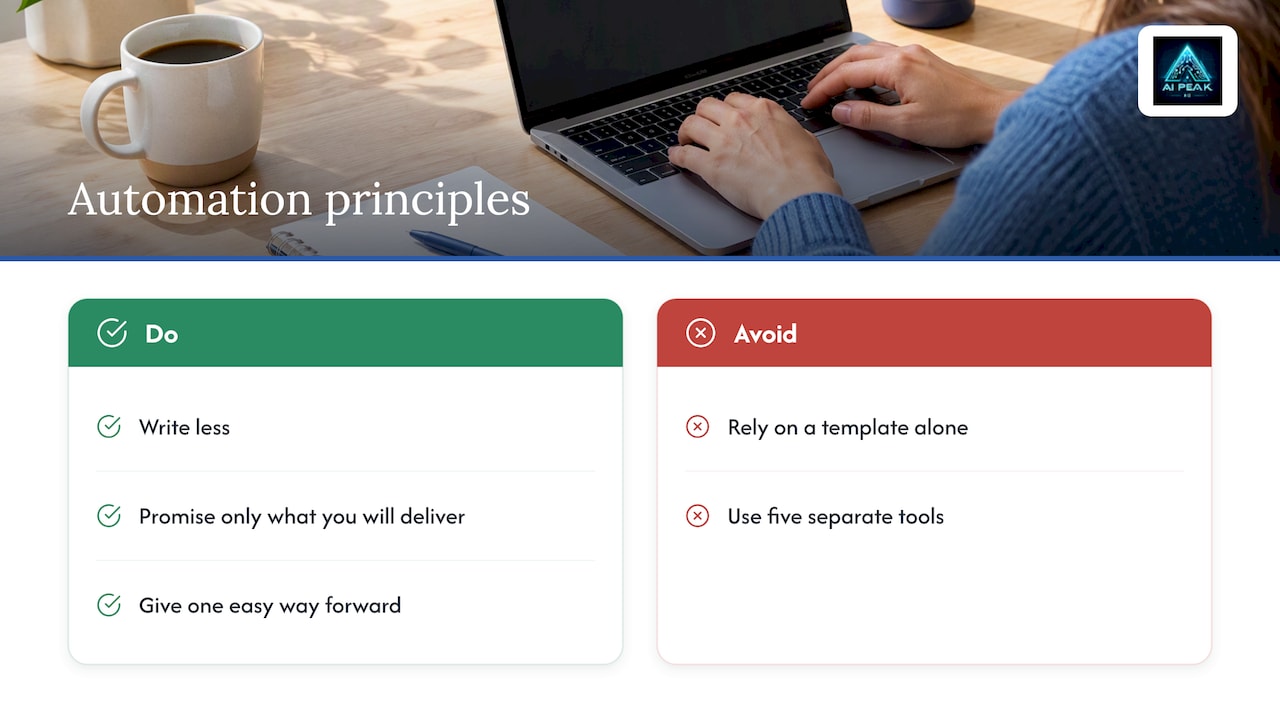
That is why we do not think a template alone solves the problem. A library of auto-reply texts can be a fine start, but five separate tools for texting, calls, a CRM, a website and reviews tend to leave seams where customers slip through. We built one platform that answers calls and texts, qualifies leads, books appointments, texts back missed calls, follows up, tracks the pipeline and asks for reviews. We also set it up with you, because software handed over without help often sits unused.
Our advice, whether you use us or not: write less, promise only what you will deliver, and always give the customer one easy way forward. Honesty in a two-line text builds more trust than a clever one.
Putting these examples to work with AI Peak Biz
If you would rather not stitch together texting, call answering and scheduling yourself, AI Peak Biz combines them. Our AI answers calls and texts, qualifies leads, books appointments around the clock, sends missed-call text-backs and runs automated follow-up. A unified inbox brings SMS, web chat, email, Facebook Messenger, Instagram and Google Business Profile messages into one place, and review request automation is included.
Published plans are AI Website at $197 per month, Base Camp at $297 per month, Ascent at $397 per month and Summit at $597 per month. Phone and AI usage is billed separately, and no price is published for it. You can see what each plan includes on the AI Peak Biz site.
Mistakes that make automated texts backfire
- Vague promises. "We'll get back to you soon" tells the customer nothing. Give a window.
- Too many options. Three links and two keywords means no action. Pick one.
- No identity. A text from an unknown number with no business name looks like spam.
- Urgent lines nobody answers. If you cannot support it, leave it out.
- Ignoring opt-outs. This is both a trust issue and a compliance one.
- Sending the lead to a homepage. Link directly to booking or to a short form.
- Never updating. Seasonal hours, holiday closures and changed phone numbers make old messages wrong.
Sources
FAQ
What is a good automated text response for a missed call?
Keep it short and human: name your business, apologize for missing the call, ask what the customer needs and include a booking link or reply prompt. For example: "Hi, this is [Name] at [Business]. Sorry we missed you. What can we help with? Reply here or book: [link]." Send it within seconds, while the customer is still holding the phone.
How long should an auto reply text be?
As short as it can be while still covering who you are, that you received the request, when to expect a person and one next step. Most of the examples above run two to three short sentences. If you need more, link to a page instead of cramming it into the text.
Do I need permission to send automated texts?
In the U.S., texts fall under the TCPA, and consent matters especially for marketing messages. The FCC's 2024 rule also says customers can revoke consent by any reasonable means and that senders must honor it within a reasonable time of no more than 10 business days. Have your attorney review your consent language.
Can I set up an SMS autoresponder without a developer?
Yes. Most platforms let you pick a trigger, write the message and connect a calendar link without code. The harder part is the planning: deciding triggers, honest response times and who handles replies. If you want help with that, our onboarding covers setup.
Should automated texts come from a person or the business?
Sign with the business name and, where it fits, a real first name. Customers should know who is texting. Do not pretend a person typed a message that was automated. Simply make it warm, specific and useful.