
By AI Peak Biz Team · October 8, 2026
Phased Centralization of Customer Messages for Service Owners

Centralize customer messages by building a unified inbox backed by a single customer record, a phased rollout, and routing automation that assigns every conversation to someone accountable. Done right, this delivers faster response times, fewer missed leads, and a clean way to measure results through metrics like CSAT and SLA compliance. We've found that the businesses that get this right treat it as a staged project, not a weekend software swap, and they often end up leaning on a platform to run the heavy lifting.
TL;DR:
- Audit channels and volumes, appoint one decision maker, then move phone, SMS, and web chat first, targeting replies within 15 minutes during business hours.
- Add email and social messages after core channels work; train staff, set routing and escalation rules, and test calendar and CRM links before automation.
- Before signing, confirm in writing that your business retains ownership of phone numbers and social pages, can export records, and has security and retention controls.
- Most small and midsize businesses can migrate core channels in four to eight weeks when one person owns delivery; track response time, CSAT, and bookings.
- Score each vendor from 1 to 5 on features, onboarding, security, and total cost, including usage fees, and ask who performs migration.
Table of Contents
- Why centralizing customer messages matters for your bottom line
- What to build or demand: the core components of a unified inbox
- A phased rollout plan for centralizing customer messages
- How to evaluate platforms: a vendor checklist and scoring rubric
- How AI Peak Biz maps to this checklist
- What a realistic rollout actually looks like
- Start centralizing your customer messages today
- Sources
Why centralizing customer messages matters for your bottom line
Every channel you add without a plan creates another place a lead can disappear. A customer texts your business line, emails your info address, and messages your Facebook page about the same job, and if those three threads live in three different places, someone on your team is guessing instead of knowing. That guesswork is where revenue leaks out quietly, one missed reply at a time.
A single customer record solves the fragmentation problem directly. Instead of three disconnected tickets, you get one conversation history tied to one person, with context that follows them across channels. Staff stop asking "have we talked to this person before?" and start picking up where the last conversation left off.
The operational payoff shows up fast once teams consolidate:
- Response times drop because staff see all channels in one place instead of checking four apps.
- Booking rates climb because fewer leads go cold waiting on a reply.
- Training gets simpler because new hires learn one system instead of five.
- Reporting becomes possible because every conversation lives in a structure you can actually measure.
A unified inbox that captures SLA timers and CSAT scores turns customer messaging from guesswork into a measurable process, according to industry roundups of business communication platforms, which consistently flag channel coverage and automation as the deciding factors for owners shopping for these tools. Once you can measure response time and satisfaction, you can actually manage the thing instead of hoping it's working.
What to build or demand: the core components of a unified inbox
A unified inbox is not just a shared folder where messages pile up. It has to function as the operational backbone of your customer communication, which means it needs specific pieces working together.
Start with channel coverage. Your inbox should pull in SMS, email, web chat, and social direct messages from platforms like Facebook Messenger and Instagram, all landing in one view instead of scattered across apps.
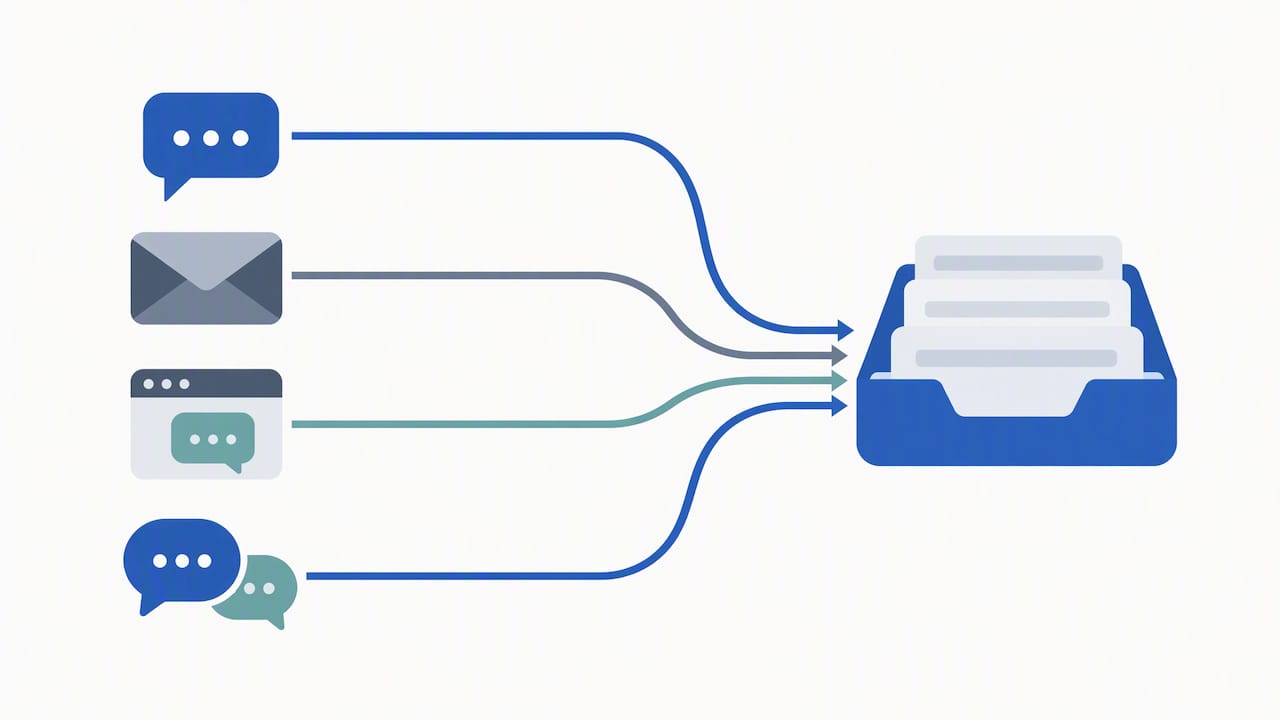
Next comes the single customer record itself. Each contact needs a stable identifier (phone number or email), a full conversation history across every channel, tags for status or service type, and a clear resolution flag so nobody wastes time on a thread that's already closed.
Routing and automation features decide whether messages get handled or ignored. Look for:
- Auto-assignment rules that route messages to the right person or team.
- SLA timers that flag conversations sitting unanswered too long.
- Canned replies and macros for common questions.
- Escalation rules that bump urgent messages to a manager.
Integrations matter just as much as the inbox itself. Your booking calendar, CRM, phone system, and web chat widget all need to talk to the same record, or you're back to fragmented data. Confirm you retain ownership of your phone numbers and social pages, and that you can export your data if you ever switch providers.
Finally, check the basics on security: encryption in transit, a stated retention policy for message history, and a permission model that limits who sees what. NIST IR 8505 recommends classifying data in transit and using modern proxy patterns for cloud-native applications, a standard worth holding any messaging vendor to when sensitive customer data moves between systems.
Pro Tip: Ask any vendor for a written data export process before you sign anything, not after you've decided to leave.
A phased rollout plan for centralizing customer messages
Trying to merge every channel in one weekend is the single most common way these projects fail. A phased approach protects you from outages, confused customers, and staff who revert to old habits the moment something feels unfamiliar.
- Phase 0: Audit your channels. List every inbox, number, and page your business uses today, note the monthly volume on each, and assign an owner to the project who has authority to make decisions.
- Phase 1: Consolidate your highest-volume channels first. For most service businesses that means phone, SMS, and web chat. Standardize a few response templates and set a basic SLA target, like replying within 15 minutes during business hours.
- Phase 2: Bring in social DMs and email. Build routing rules so messages land with the right person automatically, write an escalation policy for urgent issues, and run a short training session so staff know the new playbook before go-live.
- Phase 3: Layer in automation. Add auto-responders for after-hours messages, build a simple qualification flow that asks a few questions before a human gets involved, and connect the inbox to your booking calendar and CRM. Test the full workflow end to end before trusting it with real customers.
- Phase 4: Measure and expand. Track response time, CSAT, and booking or conversion lift for a few weeks. Use what you learn to fix weak spots, then extend the system to your remaining lower-volume channels.
The pitfalls repeat across almost every failed rollout: migrating everything simultaneously instead of in phases, losing ownership of a phone number or social page mid-transition, and skipping the single customer record step because it feels less urgent than "just getting the inbox live." Each of those mistakes costs more time to fix than it would have taken to avoid.
Pro Tip: Assign one person as the single point of contact for the rollout. Split ownership across departments and the project stalls the first time a decision needs to be made quickly.
How to evaluate platforms: a vendor checklist and scoring rubric
Once you know what you need, comparing vendors gets a lot easier if you score them against the same list every time.
Run through this checklist with every platform you consider:
- Does it cover every channel you actually use (SMS, email, web chat, social DMs)?
- Does it build a true single customer record, or just separate tickets per channel?
- Does it include routing rules, SLA timers, and escalation paths?
- Does it integrate with your booking calendar, CRM, and phone system?
- Can you export your data and keep ownership of your numbers and pages?
- What does onboarding actually look like, and who does the migration work?
Ask vendors these questions directly during a demo:
- Who owns the phone numbers and social pages once we sign up, us or you?
- How are incoming messages routed, and can we customize the rules ourselves?
- What migration help is included, and how long does a typical rollout take?
- Is pricing a flat subscription, or are there usage-based fees for phone minutes or AI responses?
- What happens to our data and conversation history if we cancel?
A simple scoring rubric (rate each vendor 1 to 5 on functionality, onboarding support, security practices, and total cost including usage fees) turns a confusing shopping process into a comparison you can actually defend to a partner or business owner.
How AI Peak Biz maps to this checklist
We built our platform around the exact components this guide describes, because we kept watching service businesses lose jobs to a missed call or a text that sat unanswered overnight. Our system centralizes SMS, web chat, email, and social media messages into one inbox, tied to a single customer record for every lead and client.
Where we go further than a typical inbox tool:
- Our Ascent plan adds an AI voice agent that can pick up calls your team misses, even after hours, so more callers reach a real conversation instead of voicemail.
- Appointments get booked automatically through voice or chat, feeding straight into a built-in CRM and pipeline tracking.
- Missed call text-back catches the calls nobody answered in time, helping fewer leads go cold.
- Hands-on onboarding guides you through the phased rollout instead of handing you a login and wishing you luck.
That last point matters most during Phase 1 and Phase 2 of the rollout we outlined above, when migrating high-volume channels without dropping a customer is the whole game.
What a realistic rollout actually looks like
Most small and mid-sized service businesses can centralize their core channels in four to eight weeks, not months, if someone owns the project and the team avoids the "migrate everything at once" trap. Show early wins fast: a drop in average response time or a visible uptick in booked appointments keeps leadership and staff bought in.
Protect yourself by confirming account ownership and permission access in writing before any vendor touches your phone numbers or social pages. The businesses that skip this step are the ones that get stuck mid-migration with no clean way out.
Start centralizing your customer messages today
Every phase of the playbook above gets faster when the platform doing the work also answers your calls, books your appointments, and tracks your leads automatically. We built AI Peak Biz so fast AI response, a unified inbox and booking automation all live in one system instead of five logins. Plans start with AI Website at $197 per month. Higher-tier plans such as Base Camp, Ascent, and Summit are also available for busier teams, with pricing details on the plans page.
- Check your plan options and usage-based phone pricing on our plans page.
- Talk to our team about a hands-on rollout built around the phases in this guide.
Sources
FAQ
What is a centralized email?
A centralized email setup routes every incoming message from one or more email addresses into a single shared inbox or platform, so any team member can see the full history and respond without digging through separate accounts. It typically ties into a broader unified inbox that also handles SMS, chat, and social messages.
How do I write a message to a customer?
Keep it short, answer their actual question first, and close with a clear next step, like a time to call or a link to book. Using a saved template or macro for common questions keeps tone consistent across your team while still letting you personalize the details.
Can I text customer service?
Yes, most service businesses now offer SMS as a standard support channel alongside phone and email, often through the same number customers already call. Routing that SMS traffic into a unified inbox with a single customer record keeps texts from becoming a separate, forgotten channel.
What does it mean to centralize data?
Centralizing data means pulling information that used to live in separate systems, like different inboxes or spreadsheets, into one structured record that everyone on the team can access. For customer messaging, that usually means a single customer record showing conversation history, status, and tags across every channel in one place.