
By AI Peak Biz Team · October 14, 2026
Following Up on Google LSA Leads: 7 Steps to Keep Them Active
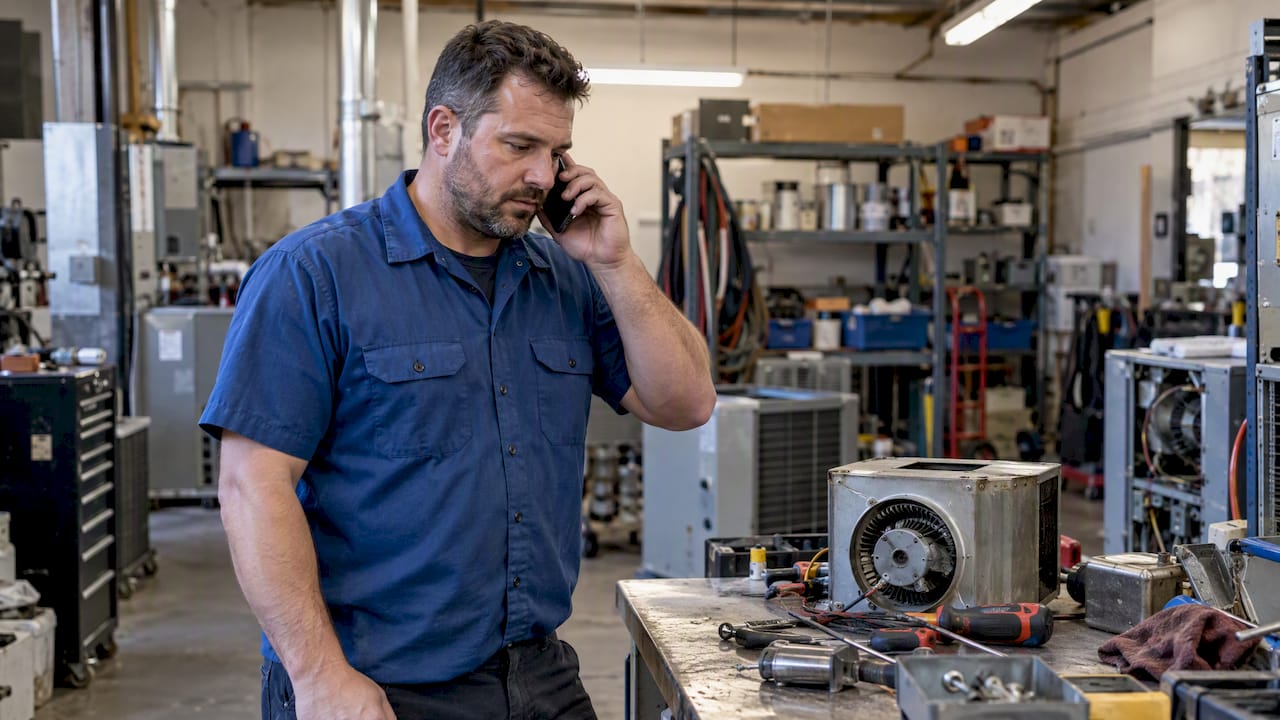
The moment a Google Local Services Ads lead arrives, answer the phone or return the call within minutes, mark the lead active in your LSA inbox, and let your CRM fire an immediate acknowledgment so the lead never sits untouched. Call first; if you can't reach the person, send a short text with a scheduling link, then follow up by email. Below, we walk through the full cadence, the automation that backs it up, the metrics worth watching, and templates you can use today.
TL;DR:
- Google counts calls or messages from the past 15 days as recent interactions, and declined requests can be restored if circumstances change.
- Many sales take several contacts, so vary calls, texts, and emails across follow ups on Days 1, 3, 7, and 14.
- According to 2007 research by InsideSales.com and MIT's Dr. James Oldroyd, contacting a web lead in five minutes or less yields 21 times more qualifications than waiting even 30 minutes.
- Automate acknowledgments and scheduling, but route pricing questions and complex objections to a person immediately instead of letting software improvise.
- Google weighs responsiveness, reviews, response time, verification, and quality photos in profile quality; keep business details current and request reviews after completed jobs.
Table of Contents
- How Google delivers LSA leads and where they appear
- Immediate triage checklist: what to do in the first 5 to 60 minutes
- A tested multi-channel follow-up sequence
- How to wire LSA leads into automation and CRM workflows
- Key KPIs for LSA lead follow up and quick optimization experiments
- How responsiveness affects your LSA profile quality and standing
- Copyable scripts and templates for every stage of follow up
- Why a disciplined follow-up system protects revenue and reputation
- How AI Peak Biz helps you answer LSA leads faster
- Sources
How Google delivers LSA leads and where they appear
Local Services Ads sends you leads in one of two ways: a phone call through a Google forwarding number, or a message lead that lands in your lead inbox. Both show up in the 'Leads' section of your LSA account, and you can configure email and SMS notifications so nobody on your team misses a new arrival, according to Google's Local Services Help.
The inbox has a memory. Once you respond to a new lead, it moves into an active inbox, and Google treats either a call or a message within the past 15 days as a recent interaction, per the same Local Services Help guidance. That distinction matters for day-to-day operations because an inactive lead is one Google assumes you've dropped, and a dropped lead is a missed job.
A few account settings shape how leads reach you:
- Message leads can be turned on or off, and you can designate a specific number to receive SMS notifications.
- Email and SMS notification preferences live under Profile & budget, so you decide who on your team gets pinged first.
- Declined leads aren't necessarily gone for good. If circumstances change, you can recover a declined request rather than losing it permanently.
None of this is complicated, but it's easy to overlook when you're juggling job sites and phone calls. Knowing exactly where a lead lands, and what counts as "active," is the foundation everything else in this playbook builds on.
Immediate triage checklist: what to do in the first 5 to 60 minutes
Speed is the single biggest lever you control once a lead comes in. Here's the sequence worth building into muscle memory for every incoming call or message:
- Call back immediately, ideally within the first few minutes of the notification.
- If there's no answer, leave a brief voicemail that confirms who you are and why you're calling.
- Send an SMS right after the voicemail acknowledging you received their request, with a calendar link so they can book without waiting for a callback.
- Log the job type, urgency, service location, and preferred contact method in your CRM while the details are fresh.
- Apply a provisional lead score based on urgency and job value so your team knows who to prioritize next.
- Mark the lead active in the LSA inbox so Google continues routing it as a live opportunity and you keep receiving follow-up notifications.
- If you decide to decline a lead, add a short reason in the notes. That makes it easier to restore later if the job type or timing turns out to be a fit after all.
Pro Tip: Keep a saved voicemail script and SMS template ready to fire within seconds, because the lag between "lead arrives" and "first response sent" is where most revenue quietly slips away.
This checklist isn't about doing more work. It's about removing the thinking from the first hour, so the right action happens automatically whether it's 7 AM or 9 PM.
A tested multi-channel follow-up sequence
A single callback attempt isn't a follow-up strategy, it's a coin flip. Most sales research points to the same conclusion: persistence across multiple touches and multiple channels converts far better than one good first effort, and industry research on lead response found that roughly 80% of sales require five or more follow-up contacts before they close.
A lead contacted within five minutes is 21 times more likely to qualify than one contacted after 30 minutes, according to the same analysis of response-time data. That single statistic is worth printing and taping above your dispatch desk, because it reframes "we'll call them back later today" as a measurable loss.
Here's a cadence that balances persistence with respect for the lead's time, drawing on Salesforce's recommended follow-up sequencing:
- Minute 0 to 60: Call immediately. If unreachable, send an SMS acknowledging the request and offering a scheduling link.
- Day 1: Send a short, personalized email recapping the request with one clear call to action, either a calendar link or two specific times to choose from.
- Day 3: Follow up with a value-add email or text, such as a relevant example of recent work or a general price range for the job type.
- Day 7: Try a call or a different channel if one is available, with a fresh subject line and a new piece of useful information rather than a repeat of the first ask.
- Day 14: Send a soft close, offering to pause outreach while leaving the door open for the lead to reach back out when they're ready.
Use a measured sequence of follow-ups over time, and stop or pause if the lead asks you to. The pattern that works is variation: alternate between call, text, and email, and make sure each touch adds something new, whether that's a photo of finished work, a seasonal reminder, or a simplified scheduling option. Repeating the same "just checking in" message on every channel reads as noise, and leads tune it out fast.
If you want a deeper breakdown of segmentation and nurture sequencing beyond this core cadence, this lead-nurturing guide walks through additional templates and timing variations worth testing against your own lead volume.
How to wire LSA leads into automation and CRM workflows
Manual follow-up breaks down the moment lead volume outpaces your team's capacity to respond in real time. Automation closes that gap, but only when it's built around the right triggers and the right guardrails.
Start with the acknowledgment. The instant a lead arrives, an automated SMS or email should go out confirming receipt, while your CRM simultaneously creates a new contact record tagged with the lead source and timestamp. That single trigger removes the risk of a lead sitting in an inbox for hours before anyone notices.
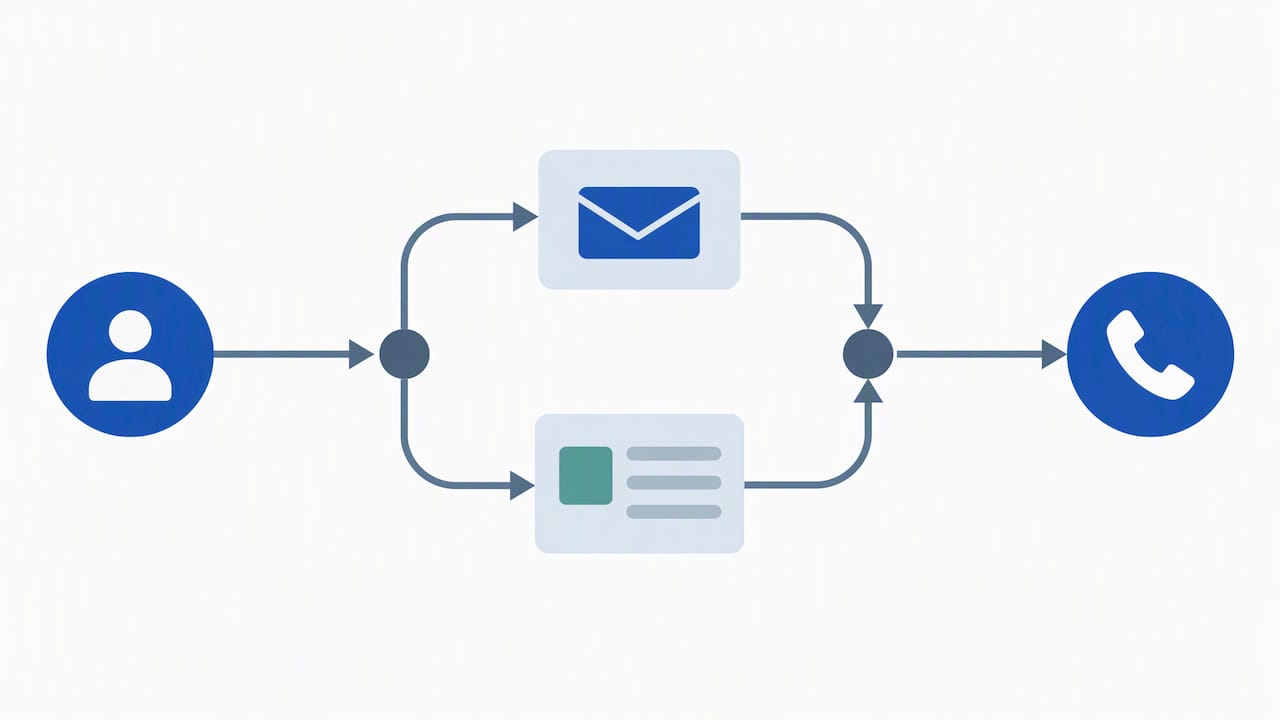
From there, lead scoring does the sorting. Leads flagged as high-value or high-urgency get routed straight to a live phone agent, while lower-priority or exploratory inquiries move into a nurture sequence that runs on autopilot until they're ready to talk. Salesforce's research on AI-assisted nurturing points to the same split: let automation handle repetitive outreach and scheduling, but route negotiation or complex objections to a person who can actually close the conversation.
A few automation builds worth setting up first:
- Missed-call text-back, so every unanswered call triggers an immediate SMS rather than silence.
- Calendar-link insertion in the first acknowledgment message, removing a step from the booking process.
- Two-way SMS threads that let leads reply with questions instead of forcing a phone call.
- Auto-reminders for reps when a lead hasn't been touched, so less falls through administrative cracks.
Pro Tip: Set a hard rule that automation handles acknowledgment and scheduling only. The moment a lead asks a pricing question that requires judgment, route it to a human immediately rather than letting a bot improvise an answer.
Guardrails matter here as much as the automation itself. A system that auto-replies to every message with the same generic line erodes trust just as fast as no reply at all. The goal is instant acknowledgment paired with a clear, fast handoff to a person when the conversation gets specific.
Key KPIs for LSA lead follow up and quick optimization experiments
You can't improve what you don't measure, and lead follow-up is one of the easiest parts of a service business to track with a handful of core numbers.
Four metrics matter most: median response time, contact rate (leads reached divided by leads attempted), conversion rate (lead to booked job), and average time-to-book. Beyond those, a few operational numbers reveal where the process is leaking: the percentage of leads marked active within your target response window, the number of follow-up attempts per lead, and conversion rate broken out by touch number so you know whether your Day 3 email is pulling its weight.
| Metric | What it tells you | Target to test |
|---|---|---|
| Median response time | How fast your team reaches a new lead | As quickly as practical |
| Contact rate | Share of leads you actually reach | As high as staffing allows |
| Conversion rate | Leads that become booked jobs | Benchmark against your own history |
| Time-to-book | Speed from first contact to confirmed appointment | Shorter generally means less drop-off |
A simple experiment worth running: set a rapid callback goal for every lead, then compare conversion rates against your prior average. Inbound follow-up research consistently points to the first hour as the highest-leverage window, so even a modest improvement in speed tends to show up in booked jobs. From there, A/B test your SMS wording, try two different first-email subject lines, and compare outcomes when a human handles the first touch versus when automation does. Faster, more consistent follow-up doesn't just book more jobs. It also tends to lower your effective cost per lead, since fewer paid leads go cold from neglect.
How responsiveness affects your LSA profile quality and standing
Google doesn't rank Local Services Ads on bid alone. Profile quality factors directly into auction standing, and that quality score is built from responsiveness to customer inquiries, reviews, average response time, completed verifications, and the presence of high-quality photos, according to Google's own ranking guidance. In other words, the follow-up habits covered in this article aren't just about winning the individual job. They shape how often Google shows your profile in the first place.
A short operational checklist keeps this on track without adding much to your plate:
- Keep your business hours and contact options current, since outdated information discourages both Google and customers.
- Answer or acknowledge every lead promptly, since average response time is a direct input into your profile quality.
- Request reviews after every completed job, since review volume and recency both factor into ranking.
- Enable messaging and booking leads where available, giving customers more ways to reach you and signaling activity to Google.
Google's own marketing for the product reinforces this: enabling messaging and adding photos are explicitly listed as ways to improve discovery and lead volume. None of these fixes take more than a few minutes individually, but stacked together with disciplined follow-up, they tend to move your profile quality in the right direction over a matter of weeks rather than months.
Copyable scripts and templates for every stage of follow up
Having the right cadence means little if your team spends ten minutes debating what to say on each call. Here's language you can adapt directly.
Phone opener: "Hi, this is [Name] with [Business]. I saw you requested a quote for [service] at [location]. Is now still a good time, and can you tell me a bit more about what's going on?" This confirms context immediately and opens with one qualifying question rather than a sales pitch.
SMS acknowledgment: "Hi [Name], this is [Business]. Thanks for reaching out about [service]. Here's a link to grab a time that works for you: [calendar link]. Call or text anytime with questions." Short, useful, and it gives the lead an easy next step without waiting on a callback.
Voicemail script: "Hi [Name], this is [Name] from [Business] calling about your request for [service]. I'll follow up with a text in just a minute, but feel free to call back anytime at this number." Keep it brief.
A few email templates round out the sequence:
- Day 1 email: A short recap of the request plus two specific appointment times to choose from.
- Day 3 email: A brief, relevant example of similar work completed recently, with a general price range if appropriate.
- Day 14 email: A soft close offering to pause outreach, paired with an invitation to reach back out whenever the timing works better.
House rule worth adopting across the team: every message gets personalized with the lead's name, service type, and location before it goes out, even when it's built from a template. Generic, copy-paste messages are the fastest way to get ignored.
Why a disciplined follow-up system protects revenue and reputation
Every missed call on a Local Services Ads account is a lead you already paid for. That's what makes slow follow-up different from most other marketing inefficiencies: the cost isn't hypothetical, it already hit your card, and a lead left unanswered for hours is often a lead that's already called the next business on the list.
What tends to work is combining instant acknowledgment, whether automated or human, with a fast handoff to a real person for anything beyond scheduling. Speed earns the conversation; judgment closes the job. Trying to automate the entire interaction tends to frustrate leads who have a specific question, while trying to handle every lead manually tends to let the busiest days become the days you lose the most business.
For a small team building this out, the order of operations matters. Get speed right first, since nothing else compensates for a slow first response. Once that's stable, add measurement, so you know whether your cadence is actually converting. Only then refine the automation layer, tightening triggers and guardrails based on what the data shows rather than guessing upfront.
If you want one experiment to start with, set a one-hour callback target for every LSA lead for the next two weeks and track the conversion lift against your usual average. Most teams are surprised by how much that single change moves the needle.
How AI Peak Biz helps you answer LSA leads faster
Everything in this playbook describes a system: instant acknowledgment, a disciplined cadence, clear handoffs, and metrics that tell you what's working. Building that system by hand across call forwarding, texting, scheduling, and a CRM can mean stitching together several tools, and that's exactly the gap our platform at AI Peak Biz was built to close.
Our AI answers calls and texts the moment an LSA lead comes in, asks qualifying questions, and books the appointment directly on your calendar, day or night. Leads land in one unified inbox alongside messages from SMS, web chat, email, Facebook Messenger, Instagram, and your Google Business Profile, so nothing gets missed because it arrived on the "wrong" channel. Review requests go out automatically after a job wraps, supporting the same profile quality signals Google weighs in the auction.
This fits best for busy local service owners in HVAC, plumbing, roofing, landscaping, and similar trades, who know missed calls are costing them booked jobs but don't have the bandwidth to build a rapid-response system themselves. Onboarding is hands-on rather than a self-serve software drop, because a tool is only as good as the setup behind it.
If slow follow-up has been quietly leaking revenue out of your LSA spend, take a look at our AI Website, Base Camp, Ascent, and Summit plans to see how fast response fits your follow-up.
Sources
FAQ
What is the Google grant of $10,000?
This refers to the Google Ad Grants program for qualifying nonprofit organizations, which is separate from Local Services Ads and not something service businesses running LSAs would apply for. LSAs operate on a pay-per-lead model rather than a grant, so there is no equivalent credit tied to the lead follow-up practices covered here.
How do I increase Google leads?
Increasing LSA lead volume starts with completing your profile, enabling messaging and booking options, and keeping response times fast, since Google's own ranking guidance ties profile quality directly to how often your ad shows. Requesting reviews after every job and keeping your business information current also support stronger placement over time.
Are Google LSA ads going away?
There's no indication from Google that Local Services Ads are being discontinued. The program remains an active part of Google's advertising lineup, with ongoing guidance published on lead management and ranking factors for business owners actively using it.
Is $20 a day good for Google Ads?
Whether your daily budget is sufficient depends heavily on your market, trade, and local competition, since Local Services Ads pricing works on a pay-per-lead basis rather than a flat daily budget model. Google recommends the Maximize Leads bid setting for businesses aiming for higher lead volume, and testing your own budget against actual booked jobs is the more reliable way to judge what's working.
How quickly should I respond to a new LSA lead?
Aim to respond within minutes rather than hours, since the InsideSales.com and MIT lead response research found that leads contacted within five minutes are 21 times more likely to qualify than those contacted after 30 minutes. If a call goes unanswered, a follow-up text can keep the lead warm while you prepare a callback.