
By AI Peak Biz Team · September 24, 2026
3 Pipeline Automations to Recover Lost Jobs for Service Businesses

Yes, service businesses should automate the repeatable parts of their pipeline now. Start with instant lead capture and behavior-driven follow-up, since those two moves recover the most jobs lost to slow response. Add automatic activity logging next, since it's the lowest-risk change with an immediate payoff. Before any of it, spend fifteen minutes mapping who currently handles each step, or assign one person to own the capture rules, so automation scales a process that actually works.
TL;DR:
- Automate lead capture and automatic enrichment to reduce response times and improve speed-to-lead, which significantly boosts booking rates.
- Focus first on activity logging and routing rules to ensure data accuracy and proper lead assignment before tackling more complex automations.
- Build behavioral-triggered workflows that respond to actual customer actions, such as missed calls or stalled deals, rather than relying solely on time-based schedules.
- Maintain regular process mapping, testing in sandbox environments, and owner review to prevent automation failures caused by unstable processes or stale data.
- Use real-time support tools and clear key performance metrics, like speed-to-first-contact and missed-call recovery rate, to continuously monitor automation effectiveness.
Table of Contents
- What Pipeline Automation Means for a Service Business
- What to Automate First in a Service Pipeline
- Copy-Ready Workflows: Behavioral Triggers That Work
- Choosing the Right Tools Without Getting Locked In
- Building Your Implementation Readiness Checklist
- Budgeting for Automation and Estimating Your Return
- Where Automation Goes Wrong (and How to Guard Against It)
- Tracking Whether Your Automation Is Actually Working
- Where I'd Start If I Were Prioritizing This Work
- How AI Peak Biz Helps You Respond to Leads Faster
- Sources
What Pipeline Automation Means for a Service Business
Pipeline automation is a set of rules your CRM follows without a human touching every step: a trigger fires (a form gets submitted, a call goes unanswered, a deal sits untouched for three days), and a workflow responds automatically. That response might be a task assignment, a text message, a routing decision, or a logged activity. It's the difference between a system that waits for someone to notice a lead and one that acts on it in seconds.
For a plumbing outfit, a roofing crew, or a medical practice with a full waiting room, this isn't a software abstraction. It's the mechanism that decides whether a Saturday afternoon inquiry gets a callback before the customer calls the next name on their search results page. Salesforce lists pipeline automation among the highest-value automation categories for small businesses, right alongside lead management and customer service automation, because the return shows up fast and it's easy to measure.
The benefits map directly to number you already track:
- Speed-to-lead drops from hours to seconds when capture and first response are automated.
- Booked-job rate climbs because fewer leads go cold while waiting in an inbox.
- Missed calls stop meaning missed revenue, since a text or callback trigger fires the moment a call goes unanswered.
- Forecasting data gets cleaner because every touchpoint gets logged instead of living in someone's memory or a sticky note.
Here's the warning nobody puts on the box: automation doesn't fix a broken process, it multiplies whatever process you already have. If your team has no consistent definition of a "qualified lead," automating lead routing just distributes bad leads faster and with more confidence. Mixmax's research on pipeline automation makes this point directly. Automating an undefined or inconsistent process doesn't create order. It scales the disorder that was already there, just quieter and harder to catch.
A landscaping company that automates stage progression based on "activity happened" rather than "the right activity happened" will end up with a pipeline full of deals marked "proposal sent" that never actually got a proposal. That's not a technology failure. It's a process gap wearing a technology costume.
What to Automate First in a Service Pipeline
Not every task deserves automation on day one. The order matters, and getting it backward wastes both money and trust with your team.
- Lead capture and validation. The instant a lead comes in, write it to your CRM, check for duplicates, and enrich it with whatever data you can pull automatically (phone carrier lookup, address validation, service area match). This is the single highest-leverage automation because speed-to-lead determines whether you even get a chance to compete for the job.
- Routing and ownership rules. Send leads to the right person based on territory, job type, or who's actually available right now, not whoever happens to check their inbox first.
- Behavior-triggered follow-up tasks. A deal sits in "quote sent" for four days with no reply. A meeting gets missed. A proposal goes unopened. Each of these should spawn a task or a message automatically, tied to what actually happened rather than a fixed calendar date.
- Activity capture. Emails, calls, and calendar events should log themselves into the CRM. This sounds boring. It's also the difference between a pipeline report you trust and one you have to double check by asking three people what really happened.
Pro Tip: Start with activity logging even before you touch lead routing. It's the automation with zero downside, since it just captures what already happened, and it gives you the clean data you'll need to judge whether your other automations are working.
What shouldn't make this list yet: negotiation, discovery calls, and anything requiring judgment about a specific customer's situation. Those are decisions, not tasks, and automating a decision before you've automated the routine steps around it is how businesses end up apologizing to customers for a bot's mistake.
Copy-Ready Workflows: Behavioral Triggers That Work
The workflows that hold up over time share one trait: they respond to what a lead actually does, not to a generic countdown. Mixmax's guidance on pipeline automation draws a clear line between behavioral triggers, like a stalled deal stage or an unopened proposal, and blind time-based cadences that fire on a schedule regardless of what the lead is doing. The first approach respects the customer's actual behavior. The second one just guesses.
Four workflows worth building first:
- Capture, validate, route, task. A form submission or missed-call event fires instantly. The system checks for a duplicate record, fills in any available enrichment data, assigns it to the right person or team by rule, and creates a "call within 5 minutes" task automatically.
- Missed call recovery. No answer on an inbound call triggers an automatic text with a booking link within seconds. If there's no response in 30 minutes, a follow-up task lands on a human's desk.
- Stalled-deal escalation. A deal that hasn't moved stages in a set number of days nudges the assigned rep first. If it's still stalled after a further window, it escalates to a manager instead of quietly dying in the pipeline.
- Calendar and webhook capture. Meetings booked, held, or canceled should sync automatically, filtered so that internal or irrelevant calendar noise doesn't pollute the activity feed.
A webhook that pushes email threads and calendar events into your CRM in real time, paired with a nightly job that refreshes contact data, is one of the most dependable technical patterns for keeping activity logs accurate without manual entry.
That pattern comes straight from how developers actually build these systems, as Nylas documents in its sales pipeline automation guide. If your integrator suggests something more complicated for basic activity capture, ask why.
Choosing the Right Tools Without Getting Locked In
Five categories cover almost everything a service business needs: a CRM or workflow engine to hold the rules, telephony or voice AI to handle calls, two-way texting for quick back-and-forth, scheduling software that syncs with real calendars, and call tracking to attribute jobs back to the marketing that generated them.
The selection criteria that actually separate a good stack from a frustrating one:
- Real-time phone and SMS support. A tool that batches texts every hour isn't automation, it's a delayed inbox.
- Webhook or API access. Without it, every new integration means manual work or waiting on a vendor's roadmap.
- Native scheduling sync. A booking that doesn't update the calendar in real time creates double-bookings, which erode trust faster than almost anything else.
- Call attribution. Knowing which ad or channel produced a booked job is what lets you spend marketing dollars with any confidence.
- Compliance and SLAs. Texting and calling customers carries real legal exposure if consent and opt-out handling aren't built in correctly.
There's a real trade-off between no-code connector platforms and native, all-in-one stacks. Zapier's own positioning on sales pipeline automation is built around this exact strength: connecting many lightweight tools quickly without waiting for a vendor to build native support. That flexibility is valuable when your stack is unusual or your needs shift often. The tradeoff is more moving parts to maintain and more places for something to quietly break. A native, integrated platform reduces that fragility but ties you to one vendor's roadmap and update schedule. Neither approach is wrong. The right one depends on how much internal capacity you have to babysit connectors versus how much flexibility you're willing to trade for stability.
Buyers evaluating pipeline tools consistently weigh three things above almost everything else: how fast a tool can be set up, what it integrates with, and how responsive support is when something breaks, according to marketplace review data. That's a useful filter when a sales demo starts overselling features you'll never touch.
Building Your Implementation Readiness Checklist
Rushing straight to automation software without mapping your current process is the single most common way this goes wrong. Do this instead, in order:
- Map the current process. Write down who does what, in what order, right now, warts included. This surfaces the failure modes automation would otherwise inherit and amplify.
- Define stage exit criteria. Before a deal can move from "contacted" to "quoted," what has to actually be true? Set required fields, not just a checkbox someone clicks out of habit.
- Plan dedupe and enrichment at the point of capture. Fixing duplicate records after the fact is far more expensive than preventing them at intake.
- Assign SLA ownership for routing. Someone specific needs to own what happens when a lead sits unclaimed past its window, not "the team" in the abstract.
- Test in a sandbox first. Automations fail quietly more often than loudly. A rule that silently stops firing for two weeks can cost more lost jobs than one that breaks visibly on day one.
- Name an owner and set a review cadence. Monthly or quarterly, someone needs to actually reread the rules and confirm they still match how the business operates.
Pro Tip: Treat your automation rules like a living policy document, not a one-time setup task. The teams that get the most value revisit their rules on a calendar, the same way they'd revisit pricing or staffing. That framing comes from a broader pattern in how implementations fail: treating automation as a one-time IT project instead of an ongoing operational responsibility with a named owner behind it.
Budgeting for Automation and Estimating Your Return
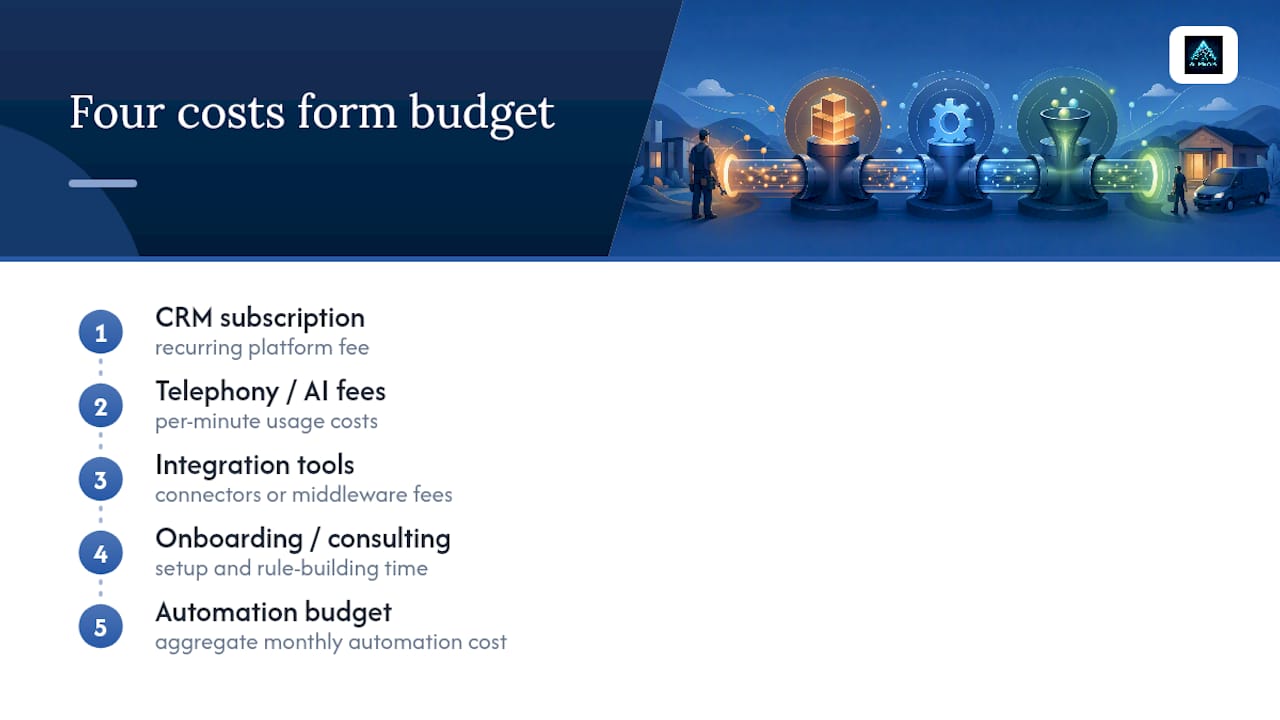
Most pipeline automation budgets break into four pieces: a CRM subscription, telephony or AI usage fees billed by the minute, any integration or connector tools you're running, and onboarding or consulting time to get the rules built correctly the first time.
A simple formula gets you to a defensible ROI estimate:
(Lift in conversion rate × average job value × incremental leads converted) − recurring automation costs = net monthly return
Say automated speed-to-lead improves your booking rate moderately, your average job has a typical value, and you're converting several extra jobs a month that would have otherwise gone cold. This results in recovered revenue that usually outweighs the monthly automation costs, which vary with call volume and plan tier. The math tends to favor automation quickly once speed-to-lead is the bottleneck, though your own numbers will vary with job value and lead volume.
Budgeting tip: don't buy the whole platform on day one. Automate lead capture and missed-call recovery first, prove the lift with real numbers from your own pipeline, then expand into routing and stalled-deal escalation once you trust the data.
Where Automation Goes Wrong (and How to Guard Against It)
Automation amplifies whatever process feeds it, which means the mistakes below don't just cause small problems. They cause the same problem, repeated hundreds of times before anyone notices.
- Automating an unstable process. If three people on your team handle the same step three different ways, automate none of it until you've picked one way and everyone's actually following it.
- Relying on blind time-based cadences. A message that fires "three days after quote sent" regardless of whether the customer already replied reads as tone-deaf, not helpful.
- Letting routing data go stale. Territory boundaries change, technicians go on leave, and a routing rule built on outdated availability quietly sends jobs to the wrong person for weeks.
- Ignoring quiet failures. A workflow that stops firing doesn't send an alert saying so. Someone has to actually check.
- Skipping required fields. Gate major stage moves on real checklist items, not a simple "an activity happened" flag, or you'll end up with a pipeline full of false progress.
| Pitfall | Why it hurts | Guardrail |
|---|---|---|
| Automating an inconsistent process | Multiplies existing errors at scale | Standardize the manual process first |
| Time-based cadences only | Feels robotic, ignores customer behavior | Trigger on stage changes and inactivity, not the calendar |
| Stale routing data | Sends leads to the wrong or unavailable person | Review territory and availability rules monthly |
| Silent workflow failures | Lost leads with no visible warning sign | Add failure alerts and a weekly audit habit |
| Weak stage-exit criteria | False "progress" in pipeline reporting | Require specific fields, not just any activity |
AI agents and no-code platforms can speed up real work, generating proposals or standardizing fields automatically. None of that replaces a human checkpoint on the moves that actually decide whether a deal closes.
Tracking Whether Your Automation Is Actually Working
Five numbers tell you almost everything you need to know about whether your pipeline automation is paying off:
- Speed-to-first-contact, measured in minutes, not hours.
- Booked-job rate, tracked against your pre-automation baseline so you're comparing apples to apples.
- Conversion rate by lead source, since this tells you where to spend the next marketing dollar.
- Lead-to-job time, the full cycle from first contact to work performed.
- Missed-call recovery rate, how many unanswered calls actually turn into booked jobs.
Build this into a simple dashboard: daily alerts when a workflow fails or stalls, a weekly snapshot of the five KPIs above, and a monthly sit-down where someone actually audits the rules against what's happening in real deals. Assign one metric to one person. When speed-to-first-contact creeps past your threshold, say five minutes, that person should get an alert, not discover the problem in next quarter's report.
Where I'd Start If I Were Prioritizing This Work
The businesses that get automation right pair every rule with a human owner, not a "set it and forget it" mindset. Software doesn't know when a territory boundary changed last month or when a regular customer needs a different tone than a first-time caller. That judgment has to stay with a person, even as the busywork around it disappears.
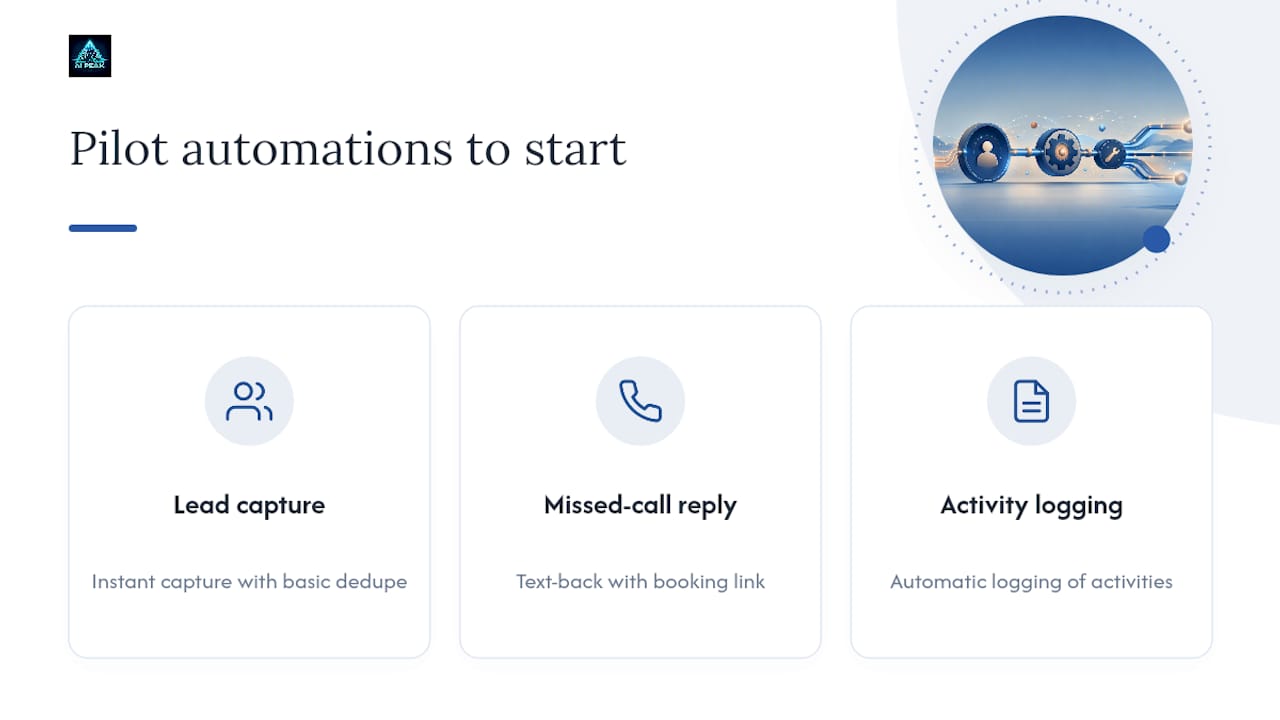
If I had one week to pilot this, I'd run three things in parallel: instant lead capture with basic dedupe, missed-call text-back with a booking link, and automatic activity logging. None of them require judgment calls, all three show measurable results within days, and together they cover the biggest revenue leaks most service businesses have. Everything else, routing complexity, stalled-deal escalation, multi-step nurture sequences, can wait until those three are running clean.
How AI Peak Biz Helps You Respond to Leads Faster
Building the workflows above from scratch takes real engineering time, and most service businesses don't have a developer on staff to wire up webhooks and test edge cases. AI Peak Biz built its platform specifically to skip that build phase. On our Ascent plan, an AI voice agent can answer calls and book appointments by phone, around the clock, without waiting on a rep to check their phone.
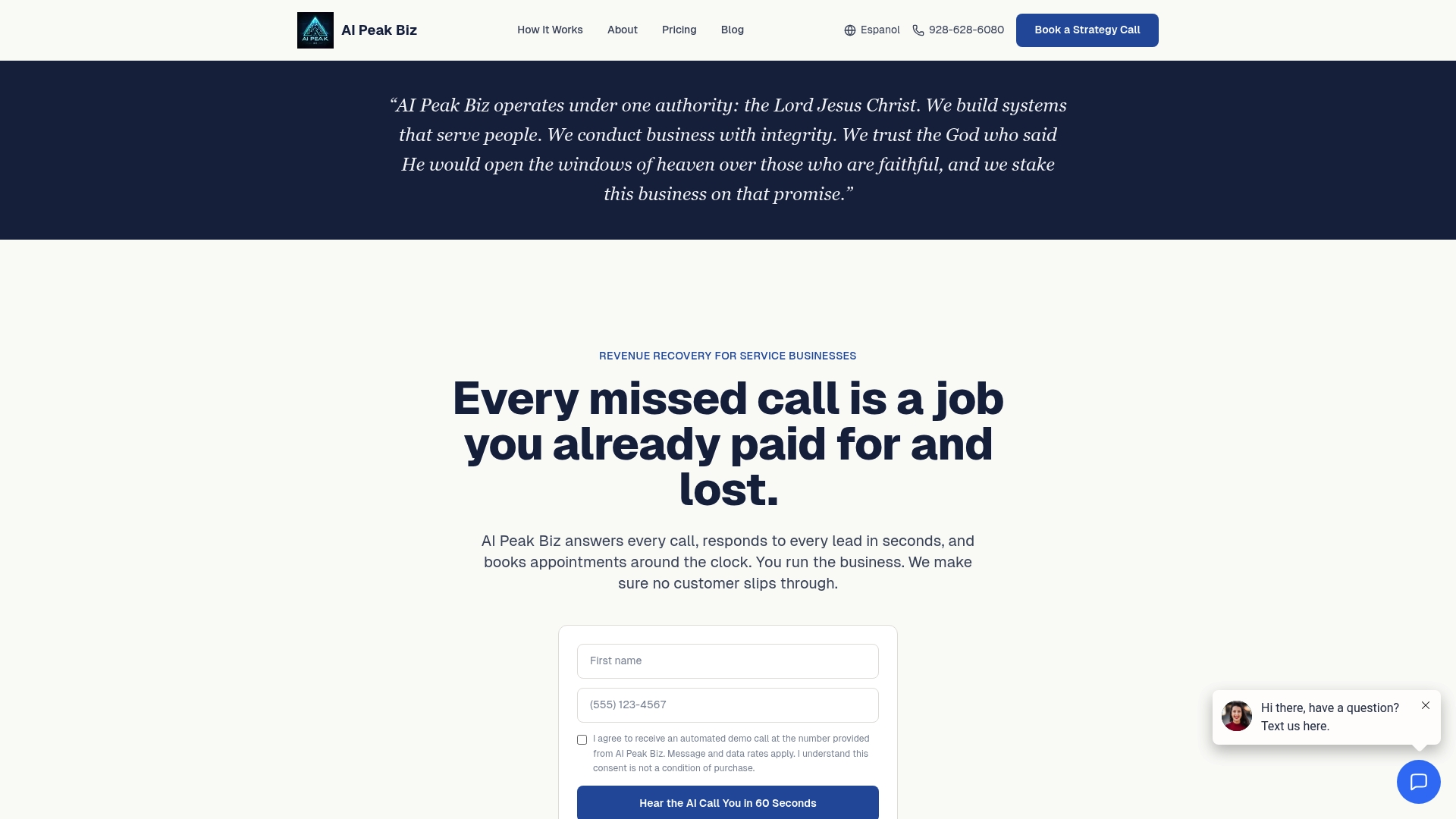
The platform brings together AI call and text answering, lead qualification, appointment scheduling, and a unified multi-channel inbox covering SMS, web chat, email, and social messaging, so the capture-to-booking workflow this article describes runs without you assembling five separate tools. For businesses that need the routing and follow-up logic tested and battle-hardened, expert onboarding handles the setup instead of leaving you to configure webhooks solo. Check AI Peak Biz's pricing and see which plan matches your call volume before you spend another month manually chasing leads that could already be booked.
Sources
For readers who want to go deeper on the technical or operational side, these sources cover the recipes and reasoning behind the recommendations above: the Nylas developer cookbook for webhook-driven capture patterns, Mixmax's guide to pipeline automation for process-first thinking, and BizDev Strategy's customer service automation steps for handoffs after a deal closes.
- Sales pipeline management solutions | Zapier
- Automate a sales pipeline, Nylas developer doc
- Small business automation: 10 tools for success: Salesforce
- Automated sales pipeline with Pipefy AI
Recommended
- AI Revenue Recovery for Plumbers: Catch More Emergency Calls
- AI Revenue Recovery for Service Businesses: The Complete Guide
- AI Front Desk for Trades & Specialty Service Businesses
- AI Revenue Recovery for Electricians: Stop Losing Jobs to Unanswered Calls