
By AI Peak Biz Team · October 11, 2026
Thumbtack Leads: Follow Up in Six Touches With AI and Human Support

Reply fast: treat every Thumbtack lead as a paid acquisition and send a three-line reply within the hour, ideally within minutes. Acknowledge one detail from the job, answer the question or give your availability, and offer a single easy next step. Then let a fixed follow-up cadence and an alert to the lead owner carry the conversation forward automatically.
TL;DR:
- If a lead stays quiet, send a day one nudge, call on day three, share useful work on day seven, and close gently on day ten.
- Direct leads charge when a job matches your preferences; Opportunities charge only after a customer responds, with billed contacts marked Paid in the Pro app.
- Assign each lead an owner, log contact attempts, pause automation after a customer reply, and send pricing or custom scope questions to a person.
- Review response time, contact rate, and bookings weekly; low contact suggests slow replies, while missed bookings despite contact point to qualification or pricing.
Table of Contents
- Your first reply template for Thumbtack leads
- Build a follow-up cadence that doesn't rely on memory
- Automation and CRM rules that make speed repeatable
- How Thumbtack lead pricing should shape your priorities
- The metrics that actually tell you if follow-up is working
- Why an always-on AI and human workflow closes the gap
- When to DIY and when to bring in automation
- Get faster Thumbtack replies without doing it all yourself
- Sources
Your first reply template for Thumbtack leads
Every strong first reply does three things in three sentences. First, acknowledge a specific detail from the request so the customer knows a real person read their message, not a form letter. Second, give a direct answer, whether that's a price range, your availability, or a quick qualifying question. Third, close with one low-friction next step, like two time slots or a single yes-or-no question. This short, specific format outperforms a long pitch because it respects the customer's time and keeps the reply focused, a pattern sales guidance on inbound response backs up for B2B and marketplace messages alike.
Here's how that looks for common Thumbtack scenarios:
- Price request: "Thanks for the details on your kitchen faucet replacement. Jobs like this usually run $150 to $300 depending on the fixture. Can you tell me the brand and whether there's existing shutoff access?"
- Scheduling ask: "Got it, a Saturday lawn cleanup for a quarter-acre yard. I have openings Friday at 9 AM or Saturday at 1 PM. Which works better?"
- Photo-based estimate: "That crack pattern on your patio looks like it needs a closer look. Could you send one more photo from a wider angle, or would a quick call work better?"
Micro-personalization takes ten to twenty seconds and pays off: mirror the customer's own wording and reference one concrete detail from their request.
Pro Tip: Keep your first reply under five sentences. A fast, specific answer beats a polished paragraph every time.
Build a follow-up cadence that doesn't rely on memory
One reply rarely closes a job. A structured, multi-touch cadence keeps you in front of the lead without feeling pushy, and varying your channel helps you break through when a customer goes quiet.
- Immediate acknowledgement (minutes after the lead arrives): confirm you received the request and will follow up shortly.
- Same-day call or email (within the hour): deliver your three-part reply with answer and next step.
- Day 1 text or email: a brief nudge referencing the original job detail if there's been no response.
- Day 3 phone call: a direct attempt to reach the customer by voice, since phone contact converts better early in the sequence.
- Day 7 value email: share something useful, like a tip related to their project or a link to recent work.
- Day 10 soft close: a final, low-pressure message asking if they're still interested before you stop outreach.
Lead a channel-first approach: try phone when possible, since it's the fastest way to qualify a real customer, then use text and email for the lighter follow-up touches. Define a stopping rule after the final attempt and assign one owner to every lead so no one assumes someone else is handling it.
Automation and CRM rules that make speed repeatable
Speed only stays consistent when a system, not your memory, drives it. Instant acknowledgement automation and a real-time alert to the named lead owner turn "I'll get to it later" into "handled in minutes."
- Assign one named owner per lead, log the outcome of every attempt, and set automatic reminders for the next action.
- Pause automated messages the moment a lead replies, and route anything complex (price negotiation, custom scope) to a person.
- Centralize Thumbtack messages into one inbox or CRM so nothing sits in a separate tab you forget to check.
- Record response time, contact result, and booking outcome for every lead so you can see what's working.
This kind of workflow mirrors what Thumbtack's own help documentation recommends: acknowledge quickly, schedule a follow-up if there's no response, assign ownership, and keep the thread in one place.
Pro Tip: A missed Thumbtack reply isn't just a bad look, it's a lead you already paid for, walking away.
How Thumbtack lead pricing should shape your priorities
Understanding how you're charged changes how you follow up. On Thumbtack, a direct lead is a customer who contacts you directly, and you pay the displayed lead price when the job matches your preferences. An Opportunity shows the price upfront and only charges you if the customer responds, with the "Paid" flag visible in your Pro app once a charge applies, according to Thumbtack's help center.
That pricing structure makes qualification discipline a financial decision, not just a time-management one.
- Treat every paid lead like an ad dollar spent, worth chasing hard in the first hour.
- Prioritize profitable, bookable jobs over simply maximizing the number of leads you respond to.
- Set your lead budget based on how much follow-up capacity you actually have before scaling spend higher.
The metrics that actually tell you if follow-up is working
You can't improve what you don't measure. Three numbers matter most for Thumbtack follow-up: first response time, contact rate, and booked-conversion rate.
- First response time: the average time between a lead arriving and your first reply, plus how that time is distributed across all leads, not just the average.
- Contact rate: leads you actually reach (a reply, call answered, or text response) divided by leads you attempted to contact.
- Booked-conversion rate: jobs booked divided by total leads received.
Responding within the first hour, ideally within minutes, significantly improves your odds of qualifying and converting a lead, a pattern Salesforce's guidance on lead follow-up confirms across small-business sales data.
Review these three numbers weekly, not monthly. A dip in contact rate often points to slow first replies; a dip in conversion despite a healthy contact rate usually means your qualifying questions or pricing conversation need work. For a deeper look at tying these numbers to dollars, a lead value calculator can help you see what a one-point improvement in conversion is actually worth.
Why an always-on AI and human workflow closes the gap
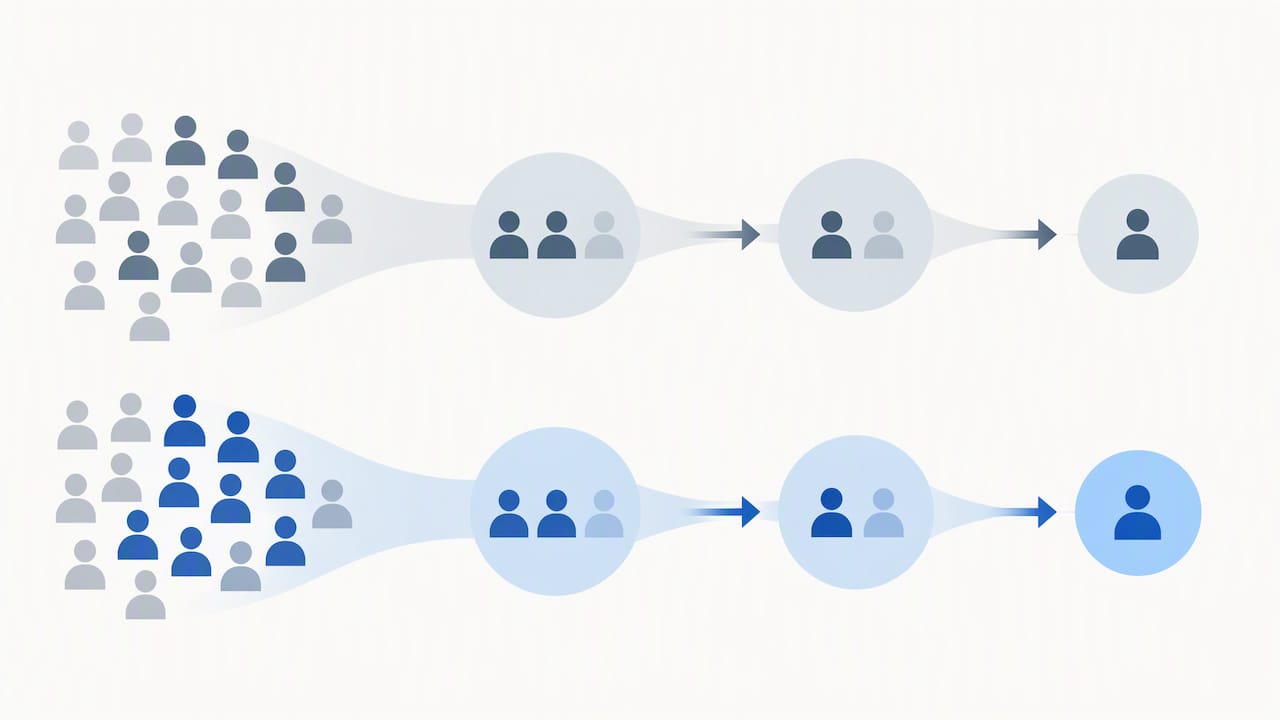
Even a disciplined pro can't answer every call or text the moment it lands, especially outside business hours. That gap is exactly where many paid Thumbtack leads go cold. We built our Ascent plan's AI voice agent to answer calls and book appointments by phone, day or night, so a lead is less likely to sit unanswered while you're on a job site or asleep.
- Our AI handles the moment-of-contact work: acknowledging the request, asking qualifying questions, and booking available time slots around the clock.
- Complex questions, price negotiation, or anything that needs a judgment call get handed off to a person, with the conversation history already in hand.
- Every lead flows into one unified inbox, so Thumbtack messages sit alongside texts, calls, and other channels instead of scattered across apps.
- Setup comes with hands-on onboarding, so the system reflects how your business actually answers questions before it goes live.
The goal isn't replacing judgment, it's making sure speed never depends on who happens to be free when the lead comes in.
When to DIY and when to bring in automation
If you're getting a handful of Thumbtack leads a week, a phone alert and a five-minute habit of replying fast will take you a long way. Automation earns its cost once missed calls start adding up, once you're juggling leads across multiple channels, or once your own time answering messages starts cutting into billable hours.
A rough ROI check: multiply the appointments you'd likely recover by your average job value. If that number clears what a platform costs each month, the investment pays for itself. Either way, check your response time and conversion numbers often and adjust your cadence as you learn what works.
Get faster Thumbtack replies without doing it all yourself
We built a platform for service businesses that need fast replies to avoid losing booked jobs. The AI answers calls and texts immediately as leads come in, qualifies requests, and books appointments directly on your calendar, all managed within one unified inbox alongside other channels.
- Instant call and text response, 24 hours a day, so no lead waits on you to check your phone.
- Automated booking that turns a qualified lead into a calendar appointment without extra steps.
- A single inbox for Thumbtack, SMS, email, and social messages, so nothing gets missed between tabs.
- Hands-on onboarding that sets the system up around how your business already talks to customers.
The result our pros see: faster first replies, more leads actually reached, and more of those contacts turning into booked jobs. Plans start with a base monthly fee, with additional tiers available as your needs grow. Check availability and see a demo on the company's website to see how it fits your follow-up process.
Sources
FAQ
What do lead prices mean on Thumbtack?
A lead price is what you pay when a customer contacts you directly and the job matches your service preferences, while an Opportunity shows the price upfront and only charges you once the customer responds. You can see which leads were charged by checking the "Paid" flag in your Thumbtack Pro app.
How should I follow up with sales leads in general?
Reach out within the first hour, ideally within minutes, since speed is one of the strongest predictors of whether you'll reach and qualify a lead at all, according to Salesforce's small-business guidance. Follow a set cadence across multiple touches and channels rather than relying on a single attempt.
How do I send a review request on Thumbtack?
Thumbtack lets you request reviews directly from customers after a completed job through the messaging thread or your Pro dashboard. Sending the request promptly after the job wraps up, while the experience is fresh, tends to get a better response than waiting weeks later.
What is the Thumbtack app?
The Thumbtack app is the mobile platform pros use to receive leads, message customers, manage bookings, and track lead charges and payment history. It's where you'll see new direct leads and Opportunities arrive and where your "Paid" flags show up for billed contacts.
How do I respond when a Thumbtack lead asks for a price upfront?
Give a price range along with what it typically includes, then ask two or three clarifying questions instead of guessing a flat number, a method Thumbtack Pro community members recommend for accuracy and trust. This keeps the conversation moving while protecting you from underquoting a job you haven't fully scoped.