
By AI Peak Biz Team · September 19, 2026
3 Metrics to Prove a Hybrid AI Website Chat Widget Works for Local Service Businesses

The best website chat widget for most businesses is an AI-enabled tool that answers routine questions instantly, keeps full conversation context, and hands off cleanly to a human when a question gets complicated. Install it with a single asynchronous JavaScript snippet, connect it to your CRM and booking calendar, and then judge it on three numbers: response time, leads captured, and appointments booked.
TL;DR:
- Effective chat widgets should combine AI-driven automation with seamless human handoff, grounded in your content to ensure accurate answers.
- Prioritizing routing, segmentation, and integration with CRM and booking systems maximizes lead qualification and appointment scheduling outcomes.
- Installing a widget involves a single JavaScript snippet, but thorough testing of security, mobile rendering, and CSP whitelisting is vital before launch.
- Key metrics to track include response time, lead conversions through chat, and booked appointments within the first week of deployment.
- For small service businesses, platforms like AI Peak Biz offer integrated solutions for chat, calls, and booking, simplifying setup and management.
Table of Contents
- What Does a Website Chat Widget Actually Do?
- What Features Should You Prioritize in a Chat Widget?
- How Do I Install a Chat Widget Without Breaking My Site?
- What Metrics Actually Prove a Chat Widget Is Working?
- Which Integrations Make a Chat Widget Worth Having?
- What Security and Privacy Settings Should You Check Before Launch?
- Who Should Have Access to Your Chat Widget Dashboard?
- Common Pitfalls and Quick Wins Worth Knowing
- How AI Peak Biz Handles Chat, Calls, and Booking Together
- Sources
What Does a Website Chat Widget Actually Do?
A website chat widget used to mean one thing: a box in the corner where a human agent typed back. That world is gone. The widgets worth installing in 2026 blend automated answers with live human backup, and the difference shows up in what visitors experience.
A well-built widget can answer common questions instantly, day or night, by pulling from your own knowledge base rather than guessing. That grounding matters. A modern hybrid approach uses AI to resolve routine questions while preserving conversation context for a clean handoff when a visitor asks something the AI can't confidently resolve, like a custom quote or a complaint. Retrieval-augmented generation, often called RAG, is the mechanism behind that grounding. Instead of the AI improvising an answer, it searches your actual content, pricing pages, and FAQs first, then responds using what it finds there.
You'll see this technology delivered in a few different shapes:
- Embedded widgets that live as a persistent bubble in the corner of every page
- Messenger bridges that route web chat into Facebook Messenger or Instagram DMs
- Timed pop-ups triggered by scroll depth or time on page
- Persistent side panels used on booking or pricing pages
Each form factor serves the same goal differently, and the right choice depends on where your visitors actually get stuck.
What Features Should You Prioritize in a Chat Widget?
Not every feature marketed on a chat widget's pricing page moves the needle. Some are genuinely load-bearing. Others just look good in a demo.
- AI grounding with true human handoff. The AI should answer from your content, not invent answers, and when it escalates, the human agent needs to see the full transcript instantly, not start over.
- Routing and segmentation. A widget that can tell a plumbing emergency from a general pricing question, and route each to the right queue, saves real time.
- Proactive triggers. Targeting greetings at high-intent pages, like a pricing or service-area page, captures leads who would otherwise leave without asking anything.
- Omnichannel inbox. One dashboard for web chat, SMS, and social messages beats juggling four separate logins.
- Booking and CRM integration. A chat that can check calendar availability and push a qualified lead straight into your CRM turns a conversation into a scheduled job.
- Customization and pricing structure. Widget branding matters less than how the vendor prices seats, conversation volume, or AI usage. Read that fine print before you commit.
Pro Tip: Test your widget's escalation path before launch by asking it a question you know it can't answer. If the human agent who picks it up can't see what the visitor already said, you've found a gap that will frustrate real customers.
Vendor pages across the industry consistently list the same trio as table stakes: CRM sync, calendar integration, and social channel connections. If a widget is missing one of those three, ask why before you sign a contract.
How Do I Install a Chat Widget Without Breaking My Site?
Most chat widgets install through a single asynchronous JavaScript snippet pasted just before the closing </body> tag, so it loads without slowing down the rest of the page. That single line is doing more work than it looks like, and skipping the surrounding checks is where most launches go sideways.
Run through this sequence before you push anything live:
- Paste the snippet on a staging environment first, never straight to production.
- Whitelist the provider's API domain in your Content Security Policy's
connect-srcdirective. This step gets skipped constantly, and the result is a widget that renders visually but silently fails to send or receive messages. - Set business hours, define handoff rules for when AI should escalate, and write a proactive greeting for your highest-traffic page.
- Check mobile rendering, keyboard accessibility, and screen reader behavior. A widget that covers the "Add to Cart" button on a phone screen costs you more than it earns.
- Confirm cookie consent banners fire before the chat starts tracking anything, and run a basic page-speed test after install.
If you're on WordPress, many chat and push plugins install through the official plugin directory rather than a raw snippet, which simplifies this whole process considerably. Either path works. What matters is that you test the full loop, sending a message and confirming it arrives, before you consider the install finished.
What Metrics Actually Prove a Chat Widget Is Working?
Track three numbers from week one: how fast the widget replies, how many of those replies turn into qualified leads, and how many of those leads book something. Everything else is secondary.
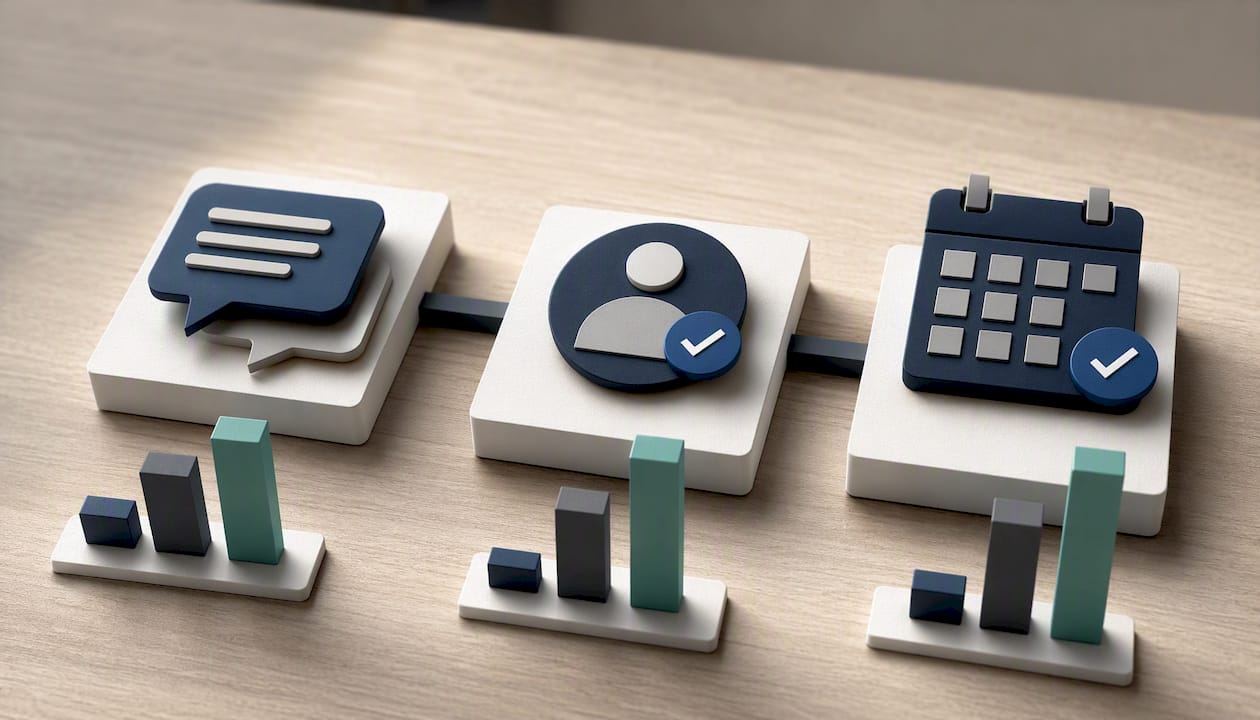
Time-to-first-reply is the easiest to measure and the one visitors feel most directly. A visitor who waits ninety seconds for a first response has usually already opened a new tab. Percentage of conversations resolved by AI without human involvement tells you whether your knowledge base is actually doing its job. And operational guidance suggests a moderate share of conversations should route to a human agent, with AI handling the rest. If your escalation rate is running much higher than that, your AI's grounding needs work.
Set these up as trackable events in your analytics platform before launch:
- Widget opened, first message sent, first AI reply time
- Escalation triggered and time-to-human-reply
- Lead form completed inside the chat
- Booking confirmed through the widget
A simple phased rollout, showing the widget to a portion of sessions first, validates the impact before you commit to it site-wide. Compare booked-appointment rates between the test group and your baseline before rolling it out to everyone.
Which Integrations Make a Chat Widget Worth Having?
A chat widget that doesn't talk to your other systems just creates another inbox to check manually. The integrations below are what turn a conversation into a business outcome.
CRM sync is the one that matters most. When a chat qualifies a lead, that lead needs to land in your pipeline automatically, tagged with what they asked about, not copied by hand at the end of the day. Calendar and booking integrations go a step further, letting a visitor pick an open slot without ever leaving the chat window. That's the difference between "someone might call us back" and an appointment on the books.
Beyond your internal tools, connecting the widget to your Google Business Profile and social messengers keeps the conversation continuous no matter where it started. A visitor who messages you on Instagram and later returns to your website shouldn't have to repeat themselves. For teams thinking about this more broadly, omnichannel continuity across every channel a customer might use is what separates a helpful setup from a fragmented one.
- Store full transcripts somewhere searchable, not just in the widget's own dashboard, so you can audit conversations later.
- Use webhooks to push new leads into your CRM the moment a form is completed inside the chat, not on a delay.
What Security and Privacy Settings Should You Check Before Launch?
Security problems with chat widgets rarely look like breaches. They usually look like a chat box that simply doesn't work, and the cause is almost always a missed configuration step.
The most common failure is a Content Security Policy that only allows the provider's script to load but never lists their API domain under connect-src. The widget will render fine visually but fail the moment a visitor tries to send a message. Beyond that, confirm the basics before you go live:
- Data retention: how long transcripts are stored and whether they're encrypted at rest.
- Access controls: which staff members can view chat history and whether that access is logged.
- Cookie behavior: whether the widget sets tracking cookies before or after consent is given, relevant under GDPR and CCPA.
- Audit logging: a record of which agent handled which conversation, useful for both accountability and training.
Pro Tip: Ask your vendor directly which API domains need whitelisting in your CSP before you sign the contract, not after your developer spends an afternoon debugging a "broken" widget that was actually just blocked.
Who Should Have Access to Your Chat Widget Dashboard?
A chat widget without role controls turns into a mess fast, especially once more than one person touches it. Most platforms worth using separate access into at least three tiers: an admin who configures routing, business hours, and integrations; agents who handle live conversations and see transcripts; and read-only viewers, often owners or managers, who check performance without touching settings.
Get this wrong and you'll see it quickly. Give every employee admin rights and someone will eventually change a greeting message or disconnect a CRM sync by accident. Give nobody but the owner access and every conversation waits until they're free to check the dashboard, which defeats the entire point of a fast-response widget.
The practical setup for a small service business is simple: one admin (usually the owner or office manager), a small group of agents who rotate coverage during business hours, and clear rules for after-hours handling when no agent is logged in. That's also when AI resolution matters most. If nobody's watching the dashboard at 9 p.m., the AI needs to be the one answering, not a queue that sits untouched until morning. Make sure your permission structure reflects your actual staffing, not an org chart from a bigger company.
Common Pitfalls and Quick Wins Worth Knowing
The mistake I see most often is teams obsessing over widget appearance, custom colors, avatar chatbots, animated bubbles, while ignoring routing rules and response-time targets. A beautifully designed widget that takes four minutes to reply loses the visitor before the design ever gets noticed.
The quickest wins are unglamorous. Connect your booking calendar first. Write one proactive greeting for your highest-traffic page before you write ten generic ones. And decide early whether you want a self-serve platform you configure yourself or a managed service that sets it up for you. For a small service team stretched across calls, jobs, and everything else, hands-on setup often beats another dashboard to learn.
How AI Peak Biz Handles Chat, Calls, and Booking Together
Everything covered above, instant AI response, human handoff with preserved context, calendar booking, and one unified inbox, is the actual foundation AI Peak Biz was built on for local service businesses. Instead of stitching together a chat widget, a separate booking tool, and a CRM from three different vendors, AI Peak Biz keeps them in one system: on Ascent, an AI voice agent can answer calls and book appointments by phone, and on Summit, missed-call text back can reply within moments.
What sets it apart from a self-serve widget you configure alone is the setup itself. AI Peak Biz pairs the platform with hands-on onboarding, so a service business owner isn't left reading documentation at 10 p.m. trying to figure out CSP settings or routing rules. The AI Website plan starts at $197 per month, with Base Camp, Ascent, and Summit tiers scaling up in automation and channels as your business grows. If missed calls and slow follow-up are costing you booked jobs, the next step is simple: visit AI Peak Biz and see which plan fits how your team actually works.
Sources
For deeper technical detail, Flyweight's guide on CSP and connect-src covers the security side thoroughly, while UseInvent's breakdown of widget architecture explains the async snippet mechanics in more depth.
FAQ
What Is a Website Chat Widget?
A website chat widget is a small chat window embedded on a site that lets visitors ask questions in real time, either answered by AI, a human agent, or both. Modern versions combine automated responses with live handoff to a person when the question requires judgment a bot can't provide.
What Is the Best Chat Widget for a Website?
The best option depends on whether you need a standalone widget or a full communication system tied to booking and CRM. For local service businesses specifically, an all-in-one platform like AI Peak Biz that combines chat, calls, and scheduling tends to outperform a chat-only tool because leads don't fall through the cracks between systems.
How Do I Create a Chat Widget?
Most providers give you a single JavaScript snippet to paste into your site's HTML, usually just before the closing body tag, which loads the widget without slowing the page down. After installing it, you'll configure business hours, connect your CRM or calendar, and whitelist the provider's domain in your Content Security Policy so messages actually send.
How Do I Add a Chat Feature to My Website?
Adding chat requires three steps: install the provider's snippet or plugin, connect it to your CRM and booking system, and test the full message flow on staging before going live. For WordPress sites specifically, many chat plugins install directly through the plugin directory instead of requiring a manual code snippet.
What Does AI Peak Biz Charge for Its Chat and Automation Platform?
AI Peak Biz's AI Website plan starts at $197 per month, with Base Camp at $297, Ascent at $397, and Summit at $597 per month, each adding more automation and channels. Phone and AI usage fees apply separately and are available on request at AI Peak Biz.