
By AI Peak Biz Team · September 18, 2026
AI Text Appointment Booking Setup for SMBs

Text appointment booking lets customers request, confirm, and reschedule appointments over SMS instead of the phone, and it works because people answer texts faster than calls. It's the right fit for any small service business that loses bookings to voicemail or a front desk that can't keep up. AI Peak Biz builds this into an AI-managed system for businesses that want the setup handled for them.
TL;DR:
- Real-time calendar synchronization is essential to prevent double bookings caused by cached availability or delayed updates.
- Automated confirmation, reminder sequences, and response handling can help reduce no-shows, depending on the starting point.
- Proper opt-in collection and immediate STOP handling are critical to maintain legal compliance and avoid contact list issues.
- An AI-managed setup ensures consistent performance, reduces leakage of missed bookings, and handles testing for calendar errors more effectively than DIY approaches.
- Costs include both subscription plans and carrier fees, with prices starting around $197 monthly and higher-tier plans offering additional features.
Table of Contents
- What Is Text Appointment Booking and How Does the Lifecycle Work?
- What Features Actually Matter in an SMS Booking System?
- How Do You Set Up Text Appointment Booking the Right Way?
- What Should Your Reminder Texts Actually Say?
- What Results Should You Expect, and How Do You Track Them?
- Why AI-Managed Text Booking Beats a DIY Setup
- AI Peak Biz: Book More Appointments Without Answering Every Text Yourself
- Sources
What Is Text Appointment Booking and How Does the Lifecycle Work?
Text appointment booking follows a lifecycle: a customer sends a request, the system checks real availability, sends a confirmation, follows up with reminders, and handles any reschedule or cancellation, all inside one text thread. Every step happens without a staff member picking up a phone.
Two approaches dominate. Conversational SMS lets the customer text in plain language ("Can I get in Thursday afternoon?") and the system parses intent, checks the calendar, and offers open slots right in the thread, a pattern used by scheduling platforms like SchedulingKit. Booking-link flows instead send a link to a booking page showing only real open slots, better for customers who want to browse times themselves rather than type back and forth.
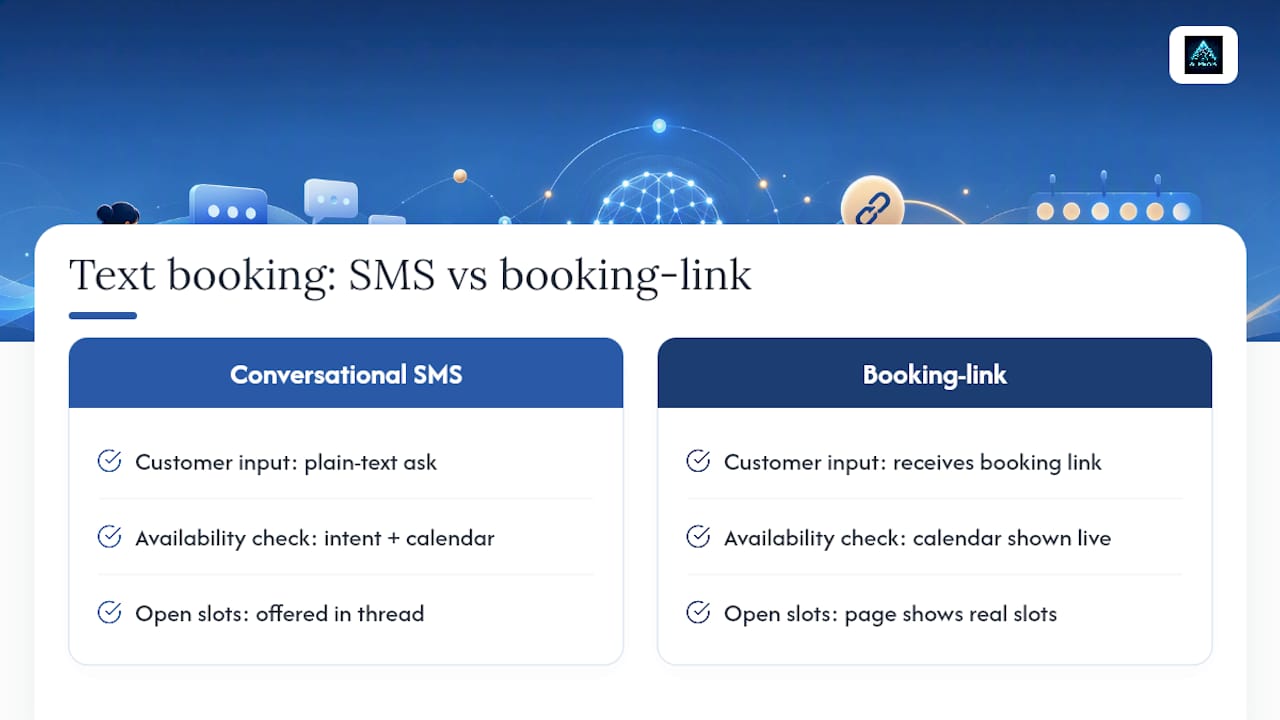
Whichever flow you choose, the calendar sync underneath has to be real-time, not cached. An agentic scheduling approach that revalidates availability at the moment of booking, rather than trusting a snapshot from ten minutes ago, is what actually prevents double bookings across Google and Outlook calendars. Write-back matters just as much as read access: the confirmed appointment needs to land on the calendar your staff already uses, or you've just built a second system nobody trusts.
What Features Actually Matter in an SMS Booking System?
Not every SMS tool solves the same problems. A few capabilities separate the systems that save staff time from the ones that just add another inbox to check.
- Two-way messaging with reply parsing. The system should read a simple "C" or "R" reply and act on it, and route anything it can't parse to a shared staff inbox.
- Calendar integration that merges availability and writes back. Google and Outlook sync in both directions so a booked slot disappears from every calendar at once.
- Automated reminder sequences you can edit. Cadence and wording should be adjustable without a developer.
- Booking pages showing only real openings. No slot should appear that a customer can actually double book.
- Reporting, webhooks, and transparent SMS fees. You want to see confirmation rates and know exactly what carrier fees you're paying.
Pro Tip: Before signing with any vendor, ask to see the SMS fee structure in writing. Some platforms bundle messaging into a flat rate; others charge per message on top of the subscription, and that difference can double your real monthly cost.
How Do You Set Up Text Appointment Booking the Right Way?
Getting compliance right from day one avoids the headache of untangling a messy contact list later. Follow these steps in order:
- Collect explicit opt-in at booking. Use a checkbox on your web form, a keyword reply, or a verbal opt-in you log yourself.
- Build in STOP handling immediately. Anyone who replies STOP must be removed automatically, and you should test this before going live.
- Connect your calendar and set real business hours. Confirm the booking-to-calendar write-back actually works by making a test booking yourself.
- Estimate your monthly message volume and check provider fees. Reminder cadences add up faster than most owners expect.
- Set an autoresponder for off-hours texts. A missed-hours reply that promises a callback keeps a lead warm even overnight.
Getting the calendar integration right on the front end is what stops double bookings before they start, especially for contractors juggling multiple crews. One more note: SMS marketing and reminders in the United States fall under TCPA rules, and while opt-in and STOP handling cover the basics, a quick conversation with legal counsel is worth it if you're sending high volume or adding promotional texts to the mix.
What Should Your Reminder Texts Actually Say?
The wording matters less than the timing, but bad wording still costs you replies. A confirmation sent the moment someone books should look something like this:
- "Hi {first_name}, you're booked for {date} at {time}. Reply C to confirm or R to reschedule."
From there, the cadence that vendors most often recommend runs three touches: a confirmation at booking, a reminder 24 hours out, and a short nudge the day of, usually one to two hours ahead, using reply-based confirmations like C to confirm and R to reschedule. Add a fourth touch only for high-value or hard-to-fill slots, like a specialist consult, where a no-show costs more than an extra text.
A few more templates worth keeping on hand:
- Reschedule request: "No problem, {first_name}. What day works better for you this week?"
- Cancellation: "You're all set, {first_name}. Your {date} appointment is canceled. Text us anytime to rebook."
- Intake question: "Quick one before your visit: is this your first time with us?"
Keep every message under two sentences, use the customer's name, and put logistics like address or parking in the same line as the reminder. That's one less question your staff has to answer by phone.
What Results Should You Expect, and How Do You Track Them?
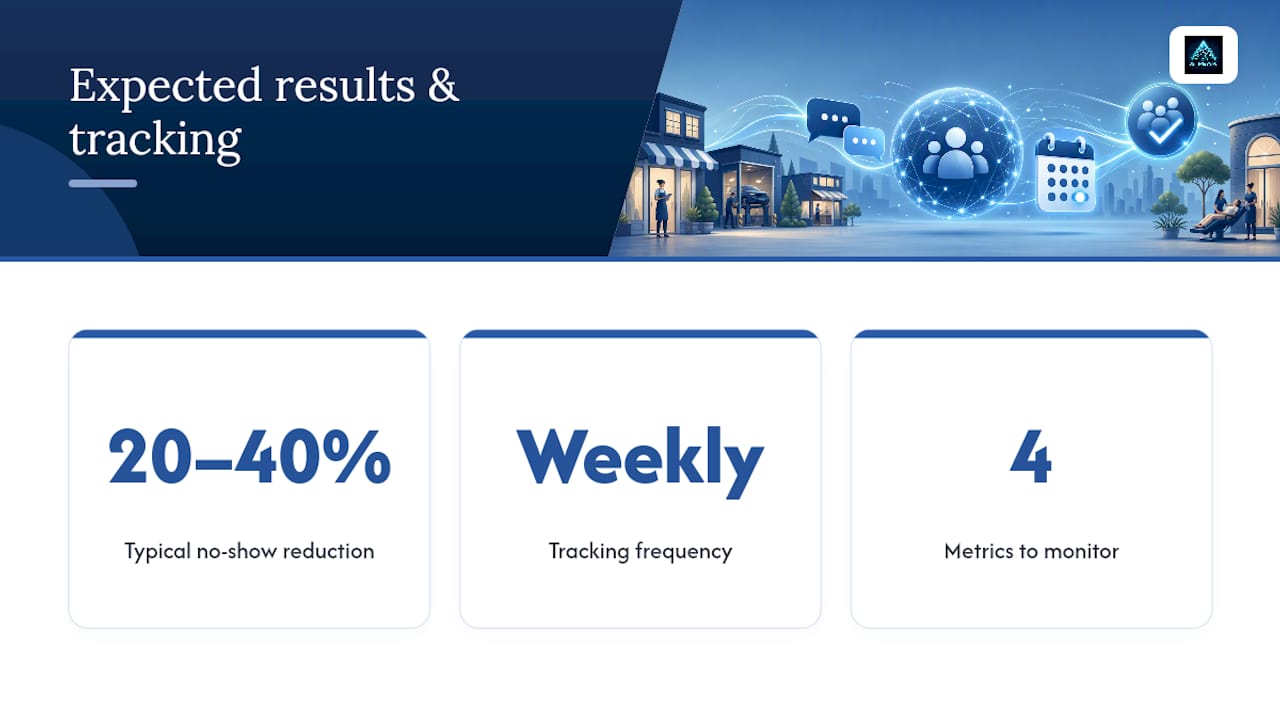
Four numbers tell you whether the system is working: no-show rate, confirmation rate, response time, and bookings recovered from calls you would have otherwise missed. Track them weekly at first, not monthly. Weekly checks catch a bad template or a broken calendar sync before it costs you a month of no-shows.
Results depend on your starting point. If your current no-show rate is already low, the gain will be smaller.
Run small experiments once the basics are live. Try moving the 24-hour reminder to 36 hours for one week. Test reply keywords against a booking link for the same appointment type. Small, one-variable tests like these tell you more in a month than any industry benchmark.
Why AI-Managed Text Booking Beats a DIY Setup
Most owners underestimate how much revenue leaks through a missed call that never gets a follow-up text. The technology to fix this isn't new. What's actually hard is running it consistently, testing the STOP handling, tuning the reminder cadence, and catching the calendar sync error before it causes a double booking. That's where a hands-on, AI-managed setup earns its keep over a self-serve tool you configure once and forget.
AI Peak Biz: Book More Appointments Without Answering Every Text Yourself
AI Peak Biz replaces the patchwork of call forwarding, voicemail, and a separate texting app with one system: an AI voice agent (Ascent) that answers calls and books appointments by phone, day or night, and missed-call text back (Summit) that can reply within moments.
The AI qualifies each lead, checks your real calendar availability, and confirms the booking in the same thread, all while keeping a unified inbox for every channel your customers already use. Unlike software you configure alone, AI Peak Biz includes hands-on onboarding to get your calendar, templates, and opt-in flow live correctly the first time. Plans start at Base Camp with monthly pricing, running up through Summit with higher-tier monthly pricing, with phone and AI usage billed separately. If you're losing bookings to missed calls, see the plans and get started today.
Sources
- hunterZh37/agentic-scheduling
- Sending appointment reminders via text - Acuity Help Center
- Turn texts into booked, kept appointments, TextSpot
Recommended
- Cut No Shows Fast: Three Message SMS Reminders for Small Businesses
- The Role of AI in Appointment Scheduling for Business Owners
- AI Appointment Scheduling for Contractors: Book Jobs While You Sleep
FAQ
Can I Send an Automated Text to Confirm an Appointment?
Yes. Most SMS booking systems send a confirmation text the moment someone books, often letting the customer reply with a single keyword like "C" to lock it in. This is one of the most effective ways to raise confirmation rates compared with email alone.
Can Appointment Reminders Be Sent via Text?
Yes, and it's the most common use case for SMS booking tools. A typical setup sends a reminder 24 hours before the appointment and a second short nudge the day of, as documented in scheduling platform help centers .
What Should a Reschedule Text Say?
Keep it short and put the ball back in the customer's court: "No problem, {first_name}. What day works better for you this week?" Avoid apologizing excessively or adding extra questions in the same message.
How Do I Ask Someone to Book an Appointment via Text?
Send a clear, low-friction message that states the purpose and gives a next step, like "Hi, this is {business}. Want to grab a time this week? Reply with a day that works or tap here: {booking_link}." A system like AI Peak Biz can send and manage this automatically once a lead comes in.
How Much Does an SMS Booking Setup Cost?
Costs vary by vendor, covering both the software subscription and per-message carrier fees. AI Peak Biz's plans run from $197 per month for the AI Website tier up to $597 per month for Summit, with phone and AI usage billed separately and available on request at AI Peak Biz.