
By AI Peak Biz Team · September 20, 2026
Stop Losing Service Leads: Web Chat to SMS With Opt In, Verification
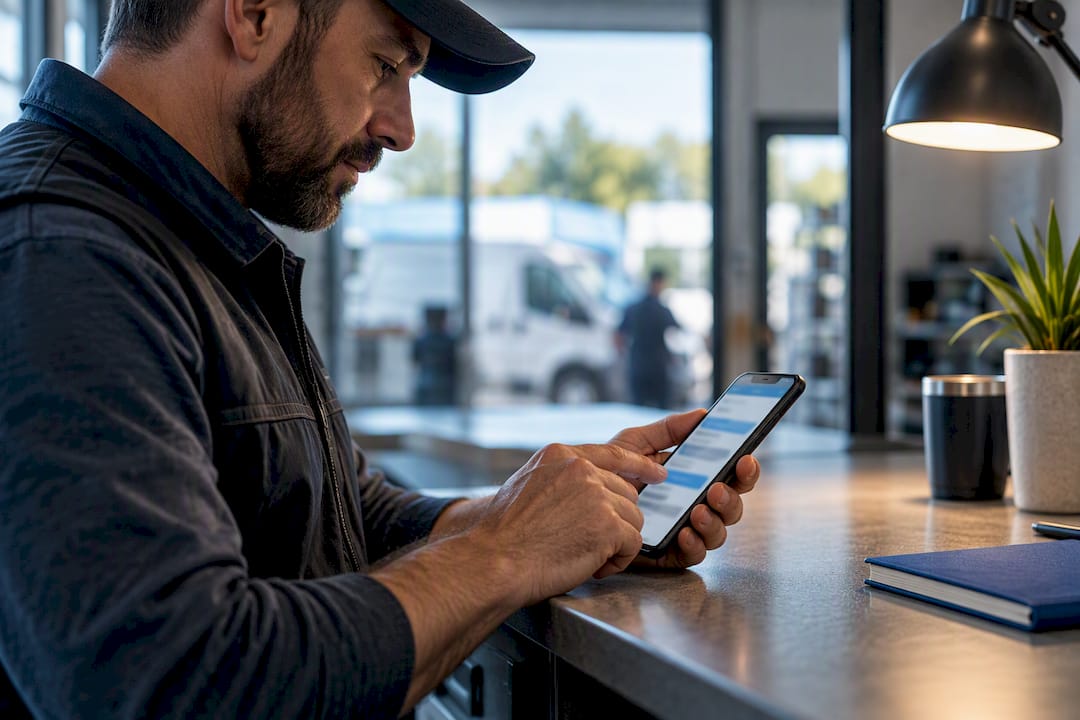
Web chat to SMS turns a fading browser conversation into a phone number you can text for days or weeks. That single shift, from a chat window that dies when someone closes their tab to a text thread that stays open, is why it's worth adding to any service business site that depends on fast follow-up as part of a comprehensive omnichannel marketing strategy. Use it whenever a lead might close the browser before you can qualify them or book them.
TL;DR:
- Moving from web chat to SMS maintains ongoing conversations, increasing lead conversion and allowing follow-up long after visitors leave the site.
- The transition methods include mobile deep links, QR codes for desktops, and outbound templates, all of which keep the full transcript in one place.
- Setting up requires proper opt-in language, number verification, dedicated routing, and thorough testing to prevent lost leads and compliance issues.
- Using AI-enabled platforms automates lead qualification, booking, and conversation management, especially outside regular business hours, reducing missed opportunities.
- Starting small with basic opt-in and verification workflows is recommended before scaling, with managed onboarding preferred for a careful deployment.
Table of Contents
- What Is Web Chat to SMS and How Does It Change Conversations?
- How Do You Move a Chat to SMS: Links, QR Codes, or Templates?
- What Are the Real Business Benefits of Chat to SMS?
- How Do You Set Up Web Chat to SMS Correctly?
- What Best Practices Improve Reply Rates on SMS Chat?
- What Should Developers Know Before Integrating the Widget?
- Why a Managed, AI-Enabled Setup Beats a DIY Stack
- Where Should You Start With Web Chat to SMS?
- How AI Peak Biz Handles the Whole Web Chat to SMS Flow For You
- Where to Learn More About Web Chat to SMS Setup
- Sources
What Is Web Chat to SMS and How Does It Change Conversations?
A web chat to SMS widget captures a visitor's phone number mid-conversation and spins up a real text thread that keeps running after they leave your site. That's the core mechanic behind chat-to-text tools: businesses can follow up with more customers, personalize texts using data they already collected, and automate the reminders that would otherwise die with a closed tab.
The difference comes down to timing. Web chat is synchronous. Both sides are typing right now, which works great for quick questions but falls apart the moment your visitor gets distracted. SMS is asynchronous. It waits patiently in someone's inbox until they're ready to answer, which is exactly what a homeowner comparing three roofing quotes actually needs.
A typical flow looks like this:
- Visitor starts chatting on your site and gets asked for a phone number
- The system sends a quick verification text to confirm the number is real
- The conversation moves to SMS, and the visitor keeps talking to you from their lock screen
How Do You Move a Chat to SMS: Links, QR Codes, or Templates?
Moving a conversation off the browser and onto a phone comes down to three proven methods, and most platforms let you mix all three depending on the device in front of the visitor.
- Mobile deep links. On a phone, an
sms:URI link pre fills a text message and opens the visitor's native messaging app with one tap, which is the fastest handoff available on mobile. - QR codes for desktop visitors. Someone browsing on a laptop can't tap a phone link, so the widget renders a QR code instead. They scan it with their phone camera and the conversation continues on their device, an approach Quiq's documentation recommends specifically because it matches the invite method to the hardware in front of the user.
- Outbound templates and Catalog Messages. These prefill an opening SMS with context from the chat, but the visitor still has to accept the message before the thread goes live. That acceptance step matters. It's what keeps the handoff consent-based rather than a surprise text from an unknown number.
Behind the scenes, well-built platforms log a "conversation platform changed" event so nothing gets lost in the handoff. Transcripts carry over, agents see the full history, and your unified inbox treats the web chat and the SMS thread as one continuous conversation rather than two disconnected records. Before any of this works, confirm your messaging channel is properly configured and mapped to the right campaign or number.
What Are the Real Business Benefits of Chat to SMS?
Forms get abandoned. Text threads don't, mostly because a phone number is a much stronger commitment than an email typed into a box. Once you have that number, you can keep the conversation going long after the visitor forgets your site exists.
- Higher lead conversion than static forms, since you're capturing a real, verified number instead of hoping a form submission is accurate
- Appointment booking and confirmations that live in the same thread, so a customer never has to dig through email to find their scheduled time
- Support conversations that survive after someone leaves your site, including photos and documents a customer sends once they're home and can actually take a clear picture
- Drip sequences and re-engagement campaigns that ride an existing thread, which tend to see stronger open and reply rates than cold outbound texts because the recipient already recognizes your number
That last point matters more than it sounds. A follow-up text to a number that already said yes once behaves completely differently than a cold blast to a purchased list.
How Do You Set Up Web Chat to SMS Correctly?
Getting this right is less about clever technology and more about sequencing. Skip a step and you'll either lose leads to a broken handoff or run into compliance trouble down the line.
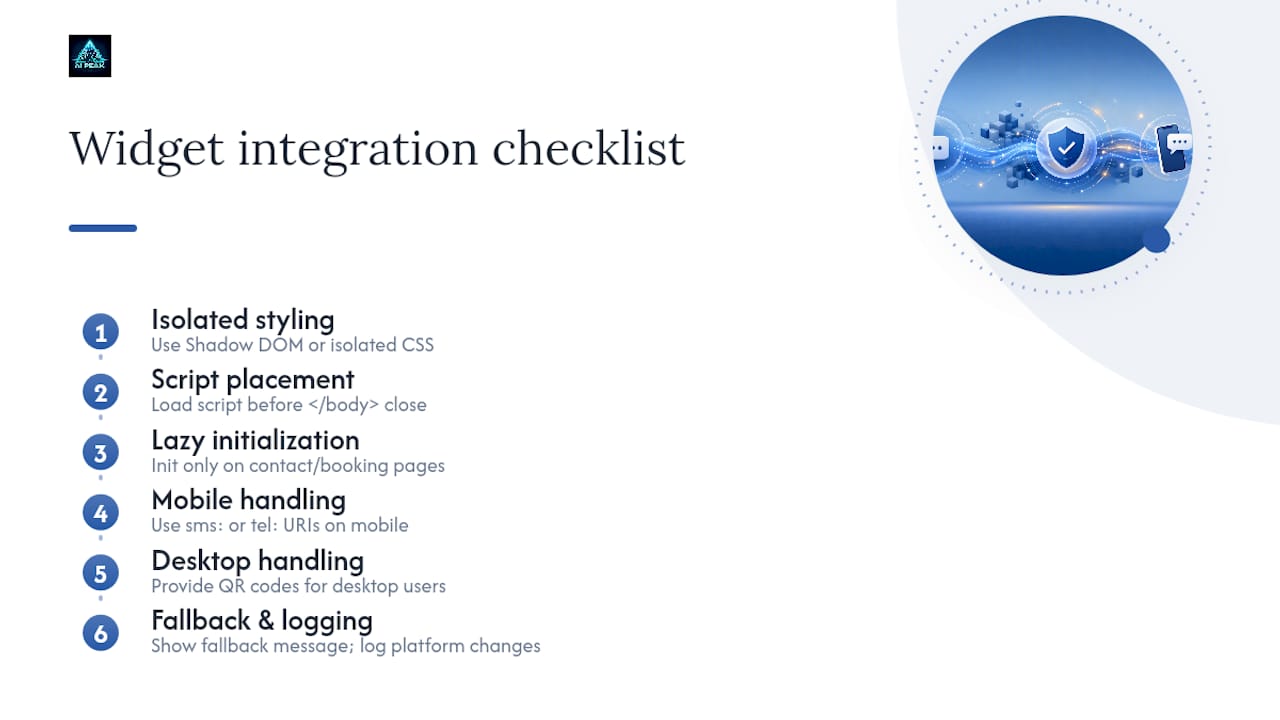
- Embed the widget on the pages where visitors are most likely to convert, like your contact and booking pages, and confirm it renders cleanly using Shadow DOM or isolated CSS so it doesn't fight with your site's existing styles.
- Capture name and phone number with plain, visible opt-in language at the point of capture, such as "By texting START, you agree to receive appointment updates from [Business Name]."
- Verify the number with a short confirmation code before the conversation moves to SMS. This single step prevents a huge share of failed handoffs and wrong-number complaints.
- Assign a dedicated number or campaign to each use case (sales versus support, for example) and set routing rules that send everything into your unified inbox.
- Sync contacts to your CRM, tag them by source and intent, set your automation triggers, and run a full end-to-end test on both a phone and a desktop before you go live.
Pro Tip: Test your own widget from a phone with a different carrier than your business line. Carrier filtering catches more broken flows than any browser test ever will.
What Best Practices Improve Reply Rates on SMS Chat?
The biggest reply-rate killer isn't a bad template. It's a visitor who expected an instant answer and got silence instead, because nobody told them the rules changed.
- State your expected reply time the moment a chat moves to SMS, and include your operating hours in the automated acknowledgment so nobody's left guessing
- Keep the first SMS short and action focused, something like a booking link, a photo request, or a quick quote question rather than a paragraph of pleasantries
- Use templates for routine follow-ups, then track reply rate and conversion by template so you know which openers actually work
- Never skip verification and consent, since skipping either one raises your failed-transfer rate and puts you closer to real compliance risk
Pro Tip: An automated acknowledgment that sets expectations correctly, according to SendSquared's platform documentation, tends to reduce drop-off after the handoff more than any clever copywriting does.
What Should Developers Know Before Integrating the Widget?
A few technical decisions determine whether your web chat to SMS flow feels seamless or breaks constantly across browsers.
Use Shadow DOM or fully isolated styles so the widget's CSS never collides with your theme. Load the script snippet right before the closing </body> tag, and consider lazy initializing it only on high-intent pages like contact or booking forms rather than every page on your site, a pattern SendSquared's help documentation describes for keeping page weight down while still targeting specific campaigns. For device handling, stick with sms: URIs on mobile and QR codes on desktop. Build a clear fallback message for cases where the messaging channel isn't available, and log every "platform changed" event so agents picking up the thread later have full context instead of guessing where the conversation left off.
Why a Managed, AI-Enabled Setup Beats a DIY Stack
Most of the failures in a web chat to SMS rollout aren't technical. They're operational: opt-in language nobody reviewed, routing rules nobody tested, a verification step somebody forgot to turn on. That's where a hands-on, AI-enabled platform earns its keep.
The platform answers texts and calls fast, qualifies leads automatically, and books appointments around the clock rather than only during business hours. That distinction covers a real gap, since most missed-lead problems happen nights and weekends when nobody's watching the inbox.
- Automates the qualifying questions instead of leaving them to a generic auto-reply
- Books appointments directly into your calendar without a human relay step
- Pairs the automation with hands-on onboarding, which catches misconfigured opt-in and routing errors before they cost you a lead
- Keeps every channel, chat, text, and call, inside one unified inbox for continuity
The operational payoff is straightforward: fewer leads slip through configuration gaps, and booking happens faster because less sits waiting for a human to notice it.
Where Should You Start With Web Chat to SMS?
Start small. Get basic opt-in and an auto-acknowledgment running first, then measure whether lead capture actually goes up before you build anything more elaborate. Add verification and proper routing before you ever launch a large outbound sequence, because scaling a broken flow just multiplies the breakage. If you don't have a developer on staff or the time to babysit this, a managed onboarding route saves you from learning that lesson the expensive way.
How AI Peak Biz Handles the Whole Web Chat to SMS Flow For You
AI Peak Biz is built for service businesses that can't afford to lose another lead to a missed text or a chat that went cold. Instead of stitching together a widget, a CRM, and a verification tool yourself, you get one platform: AI that answers chat and calls instantly, qualifies leads, books appointments, and keeps every conversation in a single unified inbox.
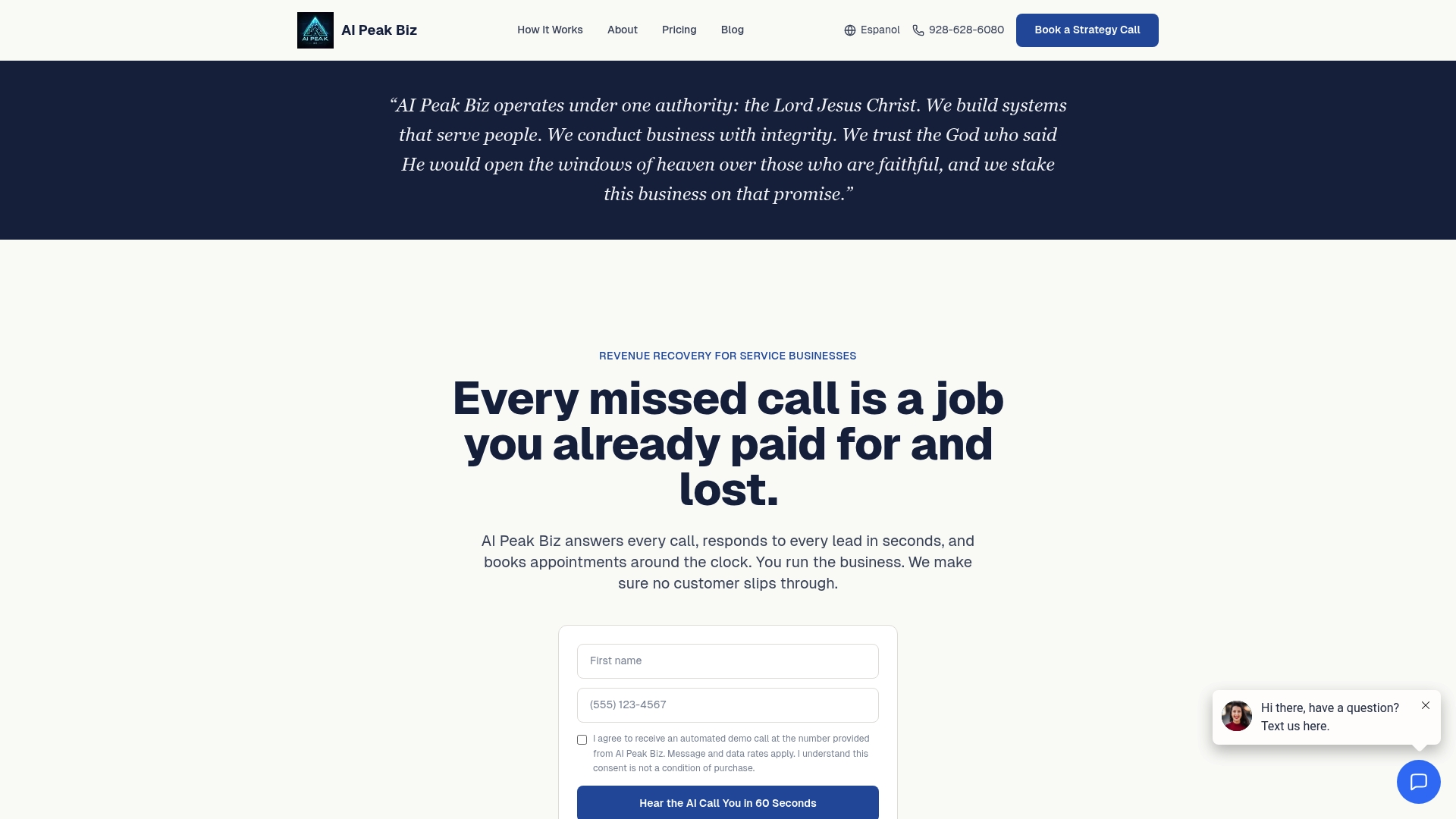
This is built for HVAC companies, plumbers, roofers, landscapers, and salons losing revenue to slow follow-up, not enterprise call centers with dedicated IT staff. The setup includes hands-on onboarding, so opt-in language and routing rules get configured correctly the first time instead of after a compliance scare. Plans range from the AI Website tier at $197 per month up through Summit at $597 per month, each adding more automation and channel coverage.
Where to Learn More About Web Chat to SMS Setup
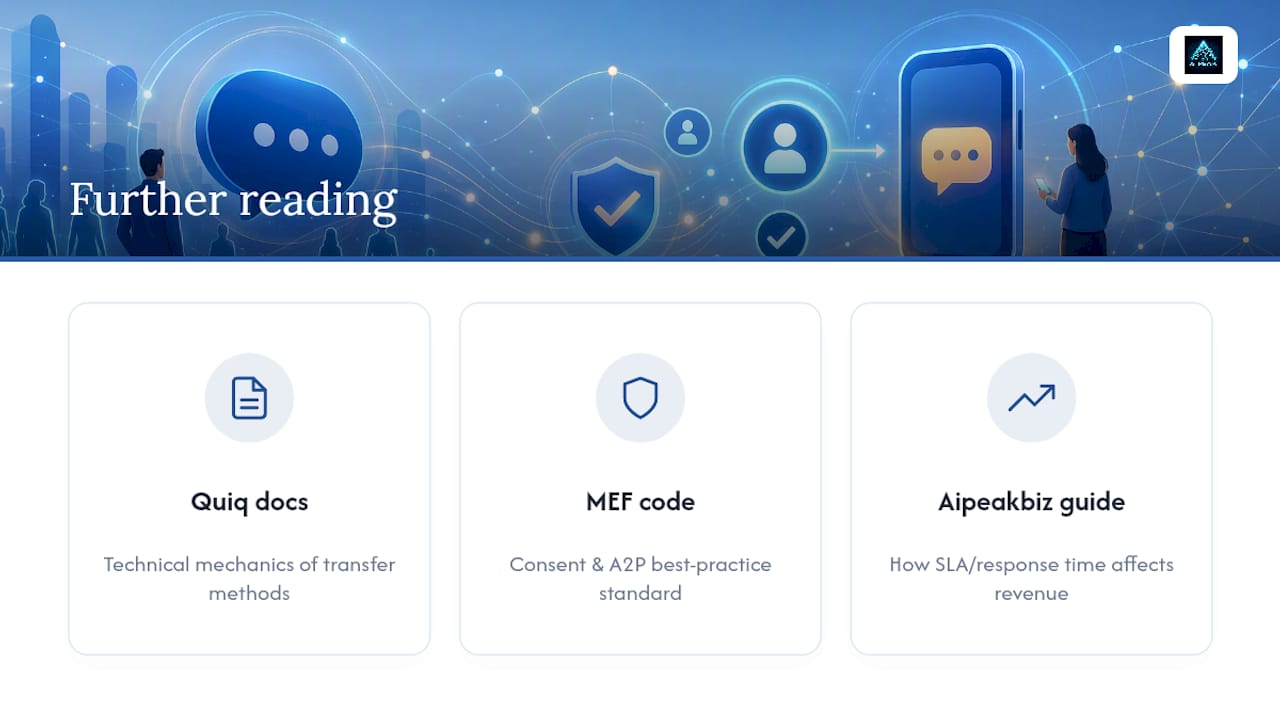
For the technical mechanics behind transfer methods, review Quiq's webchat-to-messaging documentation. For consent and A2P best practices, the Mobile Ecosystem Forum's code of conduct is the standard reference, and AI Peak Biz's guide on lead response time and revenue connects the SLA question directly to your bottom line.
Sources
- Webchat to Messaging, Quiq AI Studio docs
- Automated Chat Campaigns That Convert Website Visitors | SendSquared
- Chat to text efficiency for businesses | Sinch Engage
- A2P code of conduct, Mobile Ecosystem Forum
Recommended
FAQ
Can I Send an SMS Using My Web Browser?
Not directly through a browser's native tools, but a web chat to SMS widget solves this by capturing the visitor's phone number and sending the text on their behalf once they've opted in and verified. The visitor then continues the conversation from their own phone's messaging app.
How Do You Switch From Chat to SMS Mid-Conversation?
The widget sends a mobile deep link on phones or a QR code on desktops, and the visitor accepts an outbound template to confirm the switch, a pattern Quiq documents in detail. Once accepted, the platform logs a "conversation platform changed" event and the full transcript carries over into the new thread.
How Can I Send SMS to a Large List for Free?
There's no reliable free way to send bulk SMS at scale, since carriers require registered numbers and campaigns to avoid filtering or blocking. Sending in volume without proper registration and consent also violates most A2P messaging guidelines, so it's worth budgeting for a legitimate platform instead of chasing a workaround.
How Do You Send SMS Without Sharing a Phone Number?
You can't send SMS without a sending number attached somewhere, but you can protect a visitor's privacy by using a dedicated business line rather than a personal one. Platforms typically assign separate numbers per campaign so sales and support threads stay cleanly separated.
What Does AI Peak Biz Charge for Web Chat to SMS Features?
AI Peak Biz's plans start at $197 per month for the AI Website tier, scaling up through Base Camp, Ascent, and Summit at $597 per month for broader automation and channel coverage. Phone and AI usage fees apply separately and aren't published, so check current pricing directly on the site.